irwin Litvak

Author: irwin Litvak
Page 13
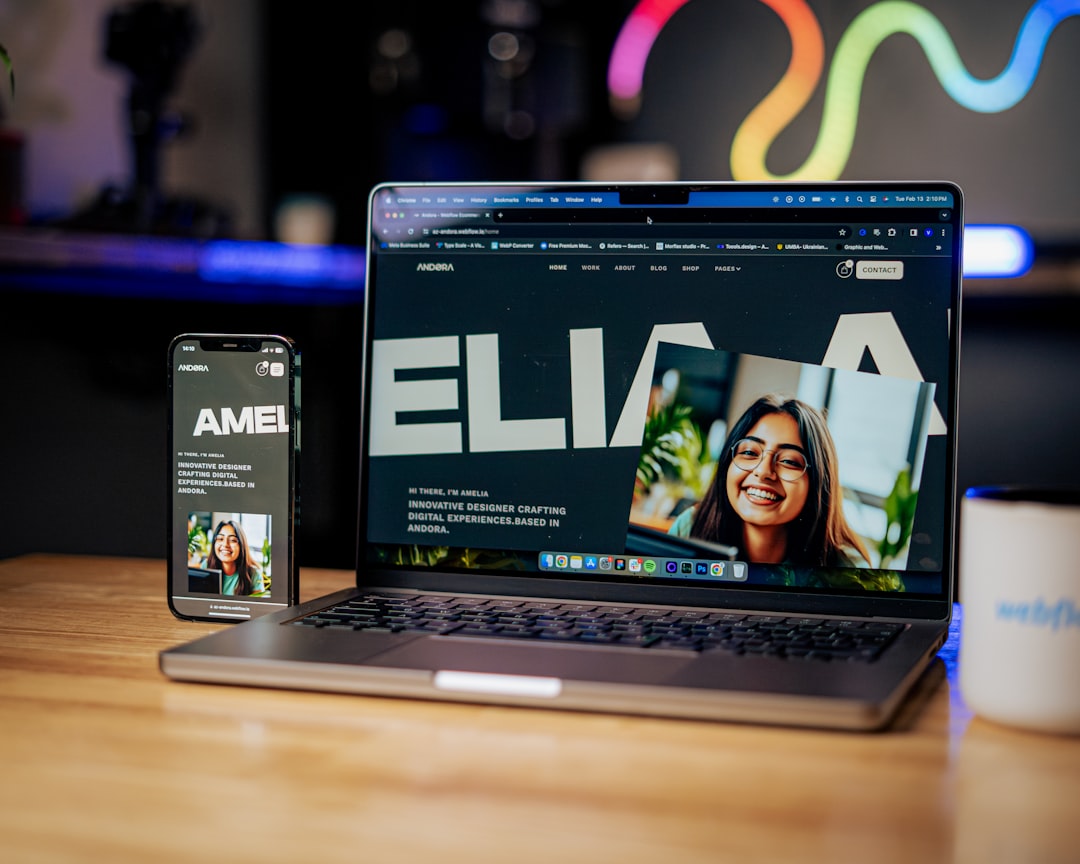
a laptop computer sitting on top of a table — IL WebDesign Manhattan

What Is a Landing Page and When Should You Use One?

A landing page NYC small businesses use for digital marketing can be transformative. If you run a business in New York City, you’ve probably heard the term “landing page” thrown around in marketing conversations. But what exactly is a landing page, and how is it different from the rest of your website? More importantly, when does your Manhattan or Brooklyn business actually need one? A landing page is one of the most powerful tools in digital marketing — a focused, purpose-built web page designed to convert visitors into leads or customers. Unlike your homepage, which serves many audiences and purposes, a landing page does one thing and does it exceptionally well. In this guide, we’ll explain everything you need to know about landing pages and help you determine whether your NYC business should be using them. What Exactly Is a Landing Page? A landing page NYC businesses commonly use is a standalone web page created specifically for a marketing or advertising campaign. Users “land” on it after clicking a link in an email, a Google Ad, a social media post, or an organic search result. Unlike a typical website page, a landing page has a single focused objective — known as a call to action (CTA). The goal might be to get a visitor to: Fill out a contact form for a free consultation Download a free guide or resource Sign up for a newsletter Purchase a specific product or service Book an appointment Everything on a landing page — the headline, the copy, the images, and the CTA button — is intentionally designed to guide the visitor toward that single action. There are no distracting navigation menus leading to other parts of the site. There are no sidebar widgets or unrelated links. The experience is laser-focused. For a plumber in Queens, a landing page might be titled “Emergency Plumbing Services in Queens, NY — Available 24/7” with a form to request immediate service. For a Manhattan law firm, it might be “Free 30-Minute Legal Consultation for NYC Businesses” with a scheduling widget. The key characteristic is specificity and purpose. Landing Pages vs. Regular Website Pages Many NYC business owners confuse landing pages with regular website pages. The differences are significant and understanding them will help you use each effectively. Your Homepage vs. A Landing Page Your homepage is your digital storefront. It introduces visitors to your brand, offers multiple navigation paths, and serves a wide variety of visitors with different intentions. It is intentionally broad. A landing page, by contrast, is designed for one specific audience segment, one specific offer, and one specific action. Where your homepage might have six navigation links and five different CTAs, a landing page typically has one CTA — and sometimes removes the navigation entirely to eliminate distractions. Service Pages vs. Landing Pages Service pages on your website describe what you offer in a general sense. They are part of your site’s permanent structure and serve ongoing organic SEO purposes. Landing pages, on the other hand, are often tied to a specific campaign or promotion. A web design agency in Manhattan might have a general “Web Design Services” page for organic SEO, but create a separate landing page specifically for a Google Ads campaign targeting “small business website design NYC” — with ad-specific messaging and a different CTA tailored to paid traffic. The distinction matters because visitors from paid ads are in a different mindset than someone who organically browses your site. Campaign-specific landing pages convert significantly better because they match the message and intent of the ad or email the visitor came from — a concept known as “message match.” When Should Your NYC Business Use a Landing Page? A landing page NYC businesses deploy for paid campaigns or lead generation can dramatically improve marketing ROI. Not every business situation calls for a landing page, but there are several clear scenarios where creating one will dramatically improve your marketing results. If your business falls into any of the following categories, a dedicated landing page is worth serious consideration. Running Google Ads or Paid Advertising This is the most common and highest-ROI use case for landing pages. When you’re paying for every click on your Google Ads, sending that traffic to your general homepage is a costly mistake. Your homepage wasn’t designed to convert paid traffic — it was designed to introduce your brand. A dedicated landing page aligned with your ad copy will significantly increase your conversion rate and lower your cost per acquisition. According to Google, higher ad relevance (which includes landing page experience) improves your Quality Score and can actually lower your cost per click. Learn more at Google Ads Help: Landing Page Experience. Launching a New Service or Promotion When a Manhattan restaurant launches a catering service, or a Brooklyn gym starts a new personal training program, a dedicated landing page lets you promote that specific offering without burying it in your main site navigation. You can drive targeted traffic to this page via email marketing, social ads, or local SEO and measure its performance independently. Running Email Marketing Campaigns If you send email newsletters or promotional emails to your customer list, linking to a specific landing page (rather than your homepage) ensures the email experience continues seamlessly on the web page. The message, offer, and visual design should match the email, creating a cohesive journey that increases conversions. Generating Leads for High-Value Services Service businesses — attorneys, accountants, contractors, consultants — that rely on lead generation benefit enormously from landing pages. A focused landing page with a clear offer (such as “Free Business Tax Consultation for NYC Businesses”) removes friction and makes it easy for potential clients to raise their hand and start the conversation. Key Elements of a High-Converting Landing Page Whether you’re building a landing page NYC service companies use for Google Ads or a lead-gen page for email campaigns, not all landing pages are created equal. A poorly designed landing page — even one with
Image optimization web performance — IL WebDesign Manhattan

How to Optimize Images for SEO: A Complete Guide for NYC Businesses

Images are a critical component of every business website, but if they are not properly optimized, they can drag down your search rankings and drive visitors away with slow load times. For NYC small businesses competing for visibility in local search results, learning image optimization for SEO is one of the most impactful yet frequently overlooked strategies you can implement. Every image on your website represents an opportunity to improve your rankings, attract more organic traffic, and provide a better user experience for your customers. In this comprehensive guide, we will walk you through everything you need to know about image optimization for SEO, including practical image optimization techniques, from file formats and compression to alt text and structured data, so your business website performs at its best in search engines. Why Image Optimization Matters for SEO Page Speed and Search Rankings Google has made it abundantly clear that page speed is a ranking factor, and images are typically the single largest contributor to page weight on any website. Unoptimized images can add megabytes of unnecessary data to your pages, causing them to load slowly on both desktop and mobile devices. According to Google’s Core Web Vitals, metrics like Largest Contentful Paint directly measure how quickly the largest visible element on a page loads, and that element is often an image. When your images are properly optimized, your pages load faster, your Core Web Vitals scores improve, and Google rewards you with better search visibility. User Experience and Bounce Rates Slow-loading images do not just hurt your SEO rankings. They also frustrate your visitors and increase bounce rates. Research from Think with Google shows that as page load time increases from one second to three seconds, the probability of a visitor bouncing increases by 32 percent. For NYC businesses where customers have countless alternatives just a click away, every second of load time matters. Optimizing your images ensures that visitors see your content quickly and stay engaged long enough to convert into customers. Google Image Search Traffic Many business owners forget that Google Image Search drives significant traffic on its own. When your images are properly optimized with relevant file names, alt text, and structured data, they can appear in Google Image Search results and bring additional visitors to your website. For visually oriented businesses like restaurants, retail stores, interior designers, and real estate agents in Manhattan and Brooklyn, Google Image Search can be a powerful source of qualified traffic that many competitors completely ignore. Choosing the Right Image File Format JPEG for Photographs JPEG remains the best format for photographs and complex images with many colors and gradients. It offers excellent compression ratios that reduce file size significantly while maintaining acceptable visual quality. For most product photos, team headshots, and location images on your NYC business website, JPEG is the right choice. The key is finding the right balance between file size and image quality, which typically falls between 70 and 85 percent quality in most image editing software. PNG for Graphics and Transparency PNG is the preferred format for graphics, logos, icons, and any image that requires transparency. While PNG files tend to be larger than JPEGs, they offer lossless compression that preserves every detail in the image. Use PNG for your business logo, infographics, screenshots, and any image with text overlays or sharp edges where JPEG compression would create visible artifacts. WebP for Modern Performance WebP is a modern image format developed by Google that provides superior compression for both photographs and graphics. According to Google’s documentation on WebP, this format produces files that are 25 to 35 percent smaller than equivalent JPEG images at the same visual quality. Most modern browsers support WebP, making it an excellent choice for businesses that want to maximize performance. Many WordPress plugins and content delivery networks can automatically convert your images to WebP format and serve them to compatible browsers. SVG for Vector Graphics SVG files are ideal for logos, icons, and simple illustrations that need to scale perfectly at any size. Because SVG is a vector format, the files are typically very small and render crisply on any device, from a smartphone to a large desktop monitor. If your NYC business uses custom icons or a logo with clean lines and solid colors, SVG is the most efficient and visually sharp format available. Image Optimization: How to Compress Without Losing Quality Lossy vs. Lossless Compression Understanding the difference between lossy and lossless compression is fundamental to effective image optimization. Lossy compression reduces file size by permanently removing some image data, which can result in a slight loss of quality that is usually imperceptible to the human eye. Lossless compression reduces file size without removing any data, preserving the original quality perfectly but achieving smaller file size reductions. For most web images, lossy compression at 75 to 85 percent quality offers the best balance of file size and visual quality. Tools for Image Compression Several excellent tools are available for compressing images before uploading them to your website. Desktop applications like Adobe Photoshop and GIMP give you precise control over compression settings. Online tools like TinyPNG and Squoosh provide quick and easy compression for individual images. For WordPress websites, plugins like ShortPixel, Imagify, and Smush can automatically compress images as you upload them, ensuring that every image on your site is optimized without requiring manual intervention. According to web.dev’s image performance guide, implementing automated image optimization is one of the most effective ways to maintain consistently optimized images across your entire website. Resize Images to the Correct Dimensions One of the most common mistakes business owners make is uploading images that are far larger than necessary. If your website displays an image at 800 pixels wide, there is no reason to upload a 4000-pixel-wide original. The browser will download the full-size image and then resize it for display, wasting bandwidth and slowing down the page. Always resize your images to match the maximum display dimensions on your website before
About page business team professional — IL WebDesign Manhattan

What Makes a Great About Page for a Small Business

Your About page is one of the most visited pages on your entire website, yet many small business owners treat it as an afterthought. For NYC small businesses competing in a crowded marketplace, a well-crafted About page can be the difference between a visitor who becomes a loyal customer and one who clicks away to a competitor. Whether you run a boutique in SoHo, a restaurant in Brooklyn, or a professional services firm in Midtown Manhattan, your About page tells potential customers who you are, what you stand for, and why they should trust you with their business. In this guide, we will break down exactly what makes a great About page and how you can optimize yours to build credibility, connect with your audience, and drive more conversions for your small business. Why Your About Page Matters More Than You Think Many business owners pour all their energy into their homepage and service pages while neglecting the About page entirely. This is a significant mistake. Research from the Nielsen Norman Group consistently shows that the About page is among the top three most visited pages on any business website. Visitors navigate there because they want to understand who they are doing business with before making a purchasing decision. For small businesses in New York City, this matters even more. NYC consumers are savvy and have countless options at their fingertips. They want to know the story behind your brand, the people who run the company, and whether your values align with theirs. A generic or poorly written About page signals that you do not care about your brand presentation, which can erode trust before a customer even picks up the phone or sends an inquiry. Your About page also plays an important role in your overall search engine optimization strategy. Google evaluates expertise, authoritativeness, and trustworthiness when ranking websites. A detailed About page that clearly communicates your qualifications, experience, and business story contributes to these trust signals and can help improve your site’s visibility in local search results. Start With a Compelling Brand Story Lead With Your Why The most effective About pages do not start with a dry list of services or a bland corporate mission statement. Instead, they lead with the reason the business exists in the first place. Think about what motivated you to start your business, what problem you set out to solve, and what drives you to show up every day. Customers connect with stories far more than they connect with sales pitches, and a genuine narrative about your origins can create an emotional bond that sets you apart from competitors. Make It Personal and Authentic Small businesses have a natural advantage over large corporations when it comes to storytelling. You can share genuine, personal details about your journey that a Fortune 500 company simply cannot replicate. Talk about the challenges you overcame when starting your business in Manhattan, the neighborhood that shaped your vision, or the moment you realized there was a gap in the market you could fill. Authenticity resonates with readers, and according to research published by NNGroup on trust signals, visitors can quickly detect when content feels forced or insincere. Keep It Focused on the Customer While your About page should tell your story, it should ultimately connect back to your customer. Frame your narrative in a way that shows how your journey and experience directly benefit the people you serve. Instead of saying you have twenty years of experience, explain what those twenty years mean for the quality of service your customers receive. This subtle shift transforms your About page from a self-congratulatory biography into a persuasive piece of content that speaks directly to your target audience’s needs and concerns. Essential Elements Every Great About Page Needs Professional Photos of Your Team One of the most overlooked elements of an effective About page is high-quality photography. Stock photos and generic images undermine credibility because visitors can tell they are not real representations of your business. Invest in professional headshots of your team members and candid photos of your workspace or team in action. For NYC businesses, consider including photos that showcase your local environment, whether that is your storefront on a bustling Manhattan street or your team collaborating in a Brooklyn office space. According to web.dev guidelines on image performance, make sure your images are properly optimized so they do not slow down your page loading speed. Clear Value Proposition Your About page should clearly communicate what makes your business different from every other company offering similar products or services. This is your value proposition, and it should be evident within the first few sentences. Are you the only bakery in Queens that uses exclusively organic ingredients? Do you offer same-day service that no other plumber in Manhattan can match? Whatever makes you unique, make sure it is front and center on your About page so visitors understand immediately why they should choose you. Credentials, Awards, and Social Proof Trust is everything for a small business, and your About page is the perfect place to showcase the evidence that backs up your claims. Include relevant certifications, professional memberships, industry awards, and notable press mentions. If you have been featured in local NYC publications or recognized by industry organizations, display those logos and links prominently. Customer testimonials and case study highlights also belong on your About page, as they provide third-party validation that reinforces your expertise and reliability. A Clear Call to Action Every page on your website should guide the visitor toward a next step, and your About page is no exception. After reading your story and learning about your team, the visitor should know exactly what to do next. Whether it is scheduling a consultation, requesting a quote, or simply getting in touch, include a prominent and specific call to action that makes it easy for the reader to take that next step. A well-placed CTA button can significantly increase conversion rates on your About page. Common
Remarketing digital advertising retargeting — IL WebDesign Manhattan

Remarketing With Google Ads: What It Is and How It Works

If you have ever browsed a product online and then noticed ads for that exact product following you across the internet, you have experienced Google Ads remarketing firsthand. Google Ads remarketing is one of the most powerful and cost-effective advertising strategies available to NYC small businesses today, yet many business owners either do not know it exists or do not understand how to use it effectively. Remarketing allows you to show targeted ads to people who have already visited your website, keeping your brand in front of potential customers long after they leave your site. For small businesses in Manhattan, Brooklyn, and Queens competing for attention in one of the most crowded markets in the world, Google Ads remarketing can dramatically improve your conversion rates and return on ad spend. In this guide, we will explain exactly what remarketing is, how it works, and how your NYC business can use it to turn website visitors into paying customers. What Is Google Ads Remarketing? Google Ads remarketing is an advertising strategy that lets you show targeted display ads to people who have previously interacted with your website or mobile app. When someone visits your website but leaves without making a purchase, filling out a form, or completing whatever action you want them to take, remarketing gives you a second chance to bring them back. According to Google Ads Help documentation, remarketing works by placing a small piece of code called a tag on your website that adds visitors to remarketing lists. You can then create ad campaigns that specifically target these lists, showing relevant ads to people who have already demonstrated interest in your business. The concept behind remarketing is simple but incredibly effective. Most website visitors do not convert on their first visit. Research shows that the average conversion rate for first-time visitors is only around two to four percent, which means 96 to 98 percent of visitors leave without taking action. Google Ads remarketing addresses this reality by keeping your business visible to those visitors as they browse other websites, watch YouTube videos, use mobile apps, or search on Google. By staying in front of people who already know your brand, you significantly increase the likelihood that they will return and convert. How Google Ads Remarketing Works Step by Step Installing the Google Ads Remarketing Tag The first step in setting up Google Ads remarketing is installing the remarketing tag on your website. This is a small snippet of JavaScript code provided by Google that you place on every page of your site. When a visitor lands on any page, the tag drops a cookie in their browser, which adds them to your remarketing audience. The tag is invisible to visitors and does not affect your website’s performance or user experience. You can install the tag manually by adding the code to your website’s header, or you can use Google Tag Manager for easier implementation and management. For WordPress websites, several plugins make this process straightforward even for business owners with limited technical knowledge. Building Your Remarketing Audiences Once the tag is installed, Google begins building your remarketing audiences automatically. However, the real power of remarketing comes from creating custom audience segments based on specific visitor behaviors. According to Google’s audience targeting documentation, you can create audiences based on which pages people visited, how long they spent on your site, whether they added items to a cart, or whether they completed specific actions. For example, a Manhattan restaurant could create separate remarketing lists for people who viewed the catering menu versus those who viewed the dinner menu, then show each group different ads with relevant offers. Creating Remarketing Campaigns With your audiences built, you create Google Ads campaigns that target those specific groups. Remarketing campaigns can run across the Google Display Network, which includes over two million websites and apps, on YouTube, in Gmail, and even in Google Search results. You set your budget, choose your audience segments, create your ad creatives, and launch the campaign. Google then automatically shows your ads to people on your remarketing lists as they browse the web, delivering your message at the right moment to bring them back to your site. 5 Types of Google Ads Remarketing Campaigns Standard Display Remarketing Standard display remarketing is the most common type and involves showing banner ads to your past visitors as they browse websites and apps on the Google Display Network. These visual ads can include images, text, and your brand logo, and they appear alongside content your audience is already consuming. For NYC small businesses, standard display remarketing is an excellent way to maintain brand awareness and stay top of mind with potential customers who are actively browsing the internet in your service area. Dynamic Remarketing Dynamic remarketing takes personalization to the next level by automatically generating ads that feature the specific products or services a visitor viewed on your website. If someone browsed a particular pair of shoes on your Brooklyn boutique’s website, dynamic remarketing would show them an ad featuring that exact pair of shoes along with the price and a call to action. According to Google’s dynamic remarketing guide, this approach significantly outperforms generic remarketing because the ads are directly relevant to each individual viewer’s interests and browsing history. Video Remarketing Video remarketing targets people who have interacted with your YouTube channel or videos, or it shows video ads to your website visitors as they watch YouTube content. With video consumption continuing to grow year over year, this form of remarketing allows you to deliver engaging, visual messages to an audience that has already shown interest in your business. For NYC businesses that produce video content, whether it is restaurant walkthroughs, service demonstrations, or customer testimonials, video remarketing provides a powerful way to re-engage interested viewers. Search Remarketing (RLSA) Remarketing Lists for Search Ads, commonly known as RLSA, allows you to customize your search ad campaigns for people who have previously visited your website. When someone from your remarketing list
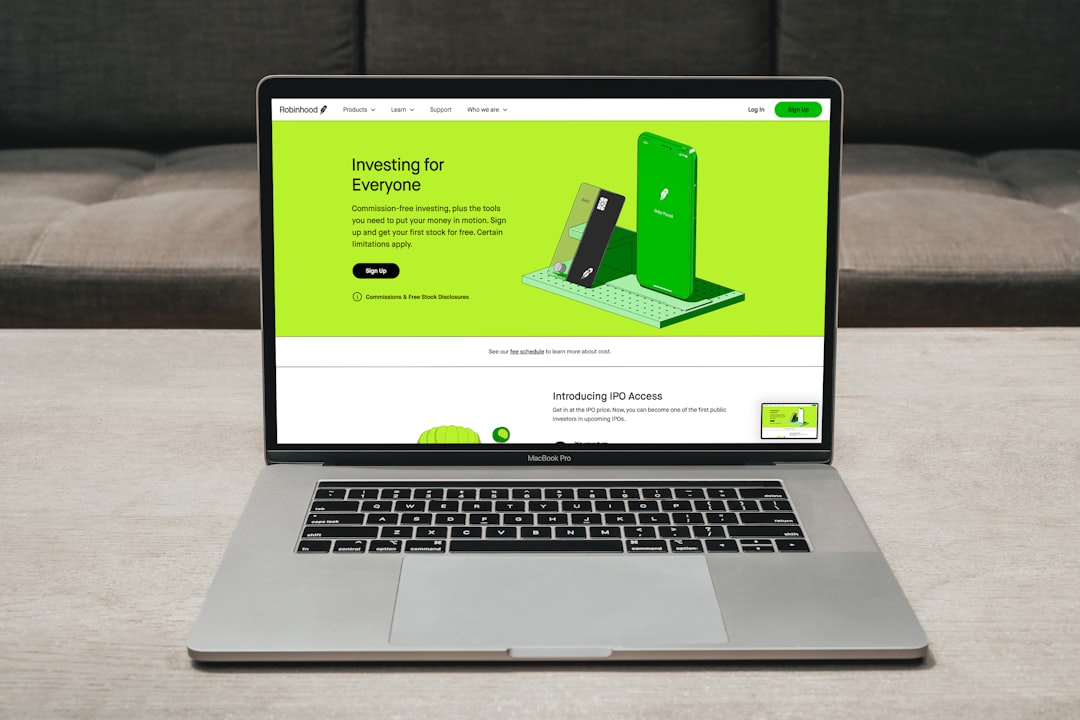
man in gray jacket using macbook pro — IL WebDesign Manhattan

How to Structure Your Google Ads Campaign for Best Results

What Is Google Ads Campaign Structure and Why Does It Matter? A solid Google Ads campaign structure is the foundation of any successful paid search strategy. Without proper organization, your ads compete against each other, your quality scores suffer, and you waste money on irrelevant clicks. For NYC businesses, getting your Google Ads campaign structure right from day one can mean the difference between profitable advertising and burning your budget. The Core Elements of Google Ads Campaign Structure Understanding the hierarchy of Google Ads campaign structure helps you organize your advertising account for maximum efficiency. Every account contains three levels: campaigns, ad groups, and ads. Each level serves a specific purpose in your overall strategy. 1. Account Level At the account level, you set your billing information, time zones, and global settings. Your entire Google Ads campaign structure lives within one account, though some large businesses use multiple accounts managed through a Manager Account (MCC). 2. Campaign Level Each campaign in your Google Ads campaign structure has its own budget, bidding strategy, and targeting settings. Best practice is to create separate campaigns for different goals, such as brand awareness, lead generation, or e-commerce sales. For local NYC businesses, you might have a separate campaign targeting Manhattan vs. the outer boroughs. 3. Ad Group Level Within each campaign, ad groups contain tightly themed sets of keywords and corresponding ads. A well-organized Google Ads campaign structure uses tightly themed ad groups where all keywords share a common intent. This improves your Quality Score and lowers your cost per click. 7 Proven Steps to Build a High-Performing Google Ads Campaign Structure Follow these seven steps to create a Google Ads campaign structure that drives results and maximizes your ROI. Step 1: Define Your Advertising Goals Before building your Google Ads campaign structure, define clear objectives. Are you driving phone calls, form submissions, or online sales? Your goal determines your campaign type (Search, Display, Shopping, or Performance Max) and your bidding strategy (Target CPA, Target ROAS, or Maximize Conversions). Step 2: Group Keywords by Theme Organize your keywords into tight ad groups based on common themes. A best-practice Google Ads campaign structure limits each ad group to 10-20 closely related keywords. This lets you write highly relevant ad copy that matches what users are searching for, boosting your Click-Through Rate (CTR). Step 3: Separate Brand and Non-Brand Campaigns Always separate branded keywords (your company name) from non-branded keywords in your Google Ads campaign structure. Brand campaigns typically have higher CTRs, lower CPCs, and better conversion rates. Separating them lets you set appropriate budgets and bids for each. Step 4: Use Single Keyword Ad Groups (SKAGs) for High-Value Terms For your most valuable keywords, consider Single Keyword Ad Groups (SKAGs) within your Google Ads campaign structure. SKAGs give you the highest level of control over ad messaging, Quality Score, and landing page relevance. According to Google Ads support, high-relevance between keywords, ads, and landing pages directly impacts your Quality Score. Step 5: Set Campaign Budgets and Bidding Strategies Allocate budget across your campaigns based on priority and expected return. A sound Google Ads campaign structure includes daily budgets for each campaign that reflect business importance. Use automated bidding strategies like Target CPA for lead generation or Target ROAS for e-commerce when you have enough conversion data (typically 30-50 conversions per month). Step 6: Align Landing Pages with Ad Groups Each ad group in your Google Ads campaign structure should point to a specific, relevant landing page. Sending all traffic to your homepage wastes budget. Create dedicated landing pages for each key theme, ensuring the page headline matches the ad copy and focus keyword. This alignment improves Quality Score and conversion rates significantly. Step 7: Implement Negative Keywords Negative keywords are essential to a clean Google Ads campaign structure. Add negative keywords at both the campaign and ad group level to prevent your ads from showing for irrelevant searches. For a NYC law firm, you’d add negatives like “free,” “DIY,” and “template” to ensure you only attract qualified prospects. Learn more about using negative keywords effectively from Google’s official resources. Common Google Ads Campaign Structure Mistakes to Avoid Even experienced marketers make costly errors when setting up their Google Ads campaign structure. Here are the most common pitfalls: Too many keywords per ad group: Dilutes relevance and hurts Quality Score Single campaign for all products/services: Makes budget allocation and optimization impossible Ignoring match types: Using only broad match leads to wasted spend on irrelevant searches No negative keywords list: Results in your ads showing for searches that will never convert Mixing search and display networks: These networks behave very differently and should be in separate campaigns How IL WebDesign Can Help You Build the Right Campaign Structure Building an effective Google Ads campaign structure requires ongoing analysis, testing, and optimization. At IL WebDesign, we specialize in creating and managing Google Ads campaigns for NYC businesses. Our team builds data-driven campaign structures designed to maximize your ad spend and deliver measurable results. Whether you are starting from scratch or need to restructure an existing account, our Google Ads experts will audit your current setup, identify opportunities for improvement, and implement a Google Ads campaign structure built for your specific business goals. Contact us today to learn how we can help you get more qualified leads and customers from your advertising budget.
a person sitting at a table with a laptop — IL WebDesign Manhattan

The Role of Internal Linking in SEO: A Complete Guide for NYC Businesses

What Is Internal Linking in SEO and Why Does It Matter? Internal linking in SEO is one of the most underutilized yet powerful strategies available to any website owner. An internal link connects one page on your website to another page on the same domain. When done correctly, internal linking in SEO helps search engines understand your site structure, distributes page authority (link equity), and keeps users engaged longer on your site. For NYC businesses competing in a crowded digital marketplace, a strong internal linking strategy can be the difference between ranking on page one or being buried in search results. According to Google’s official crawling guidelines, links are one of the primary ways Googlebot discovers and indexes pages on your website. The SEO Benefits of Internal Linking Understanding the full benefits of internal linking SEO helps you prioritize this strategy in your overall digital marketing plan. Here are the top advantages: 1. Helps Search Engines Crawl and Index Your Site Every time Google’s crawlers visit your website, they follow links to discover new and updated content. A robust internal linking in SEO strategy ensures that no important page is left undiscovered. Orphan pages—those with no internal links pointing to them—are rarely indexed or ranked. 2. Distributes Link Equity (PageRank) When an external website links to one of your pages, that page gains authority. Through internal linking SEO, you can distribute that authority across your entire site. By linking from high-authority pages to newer or less-visible pages, you pass on “link juice” and help those pages rank higher in search results. 3. Improves User Experience and Reduces Bounce Rate Well-placed internal links guide visitors to relevant content and encourage them to explore more of your site. This reduces bounce rate and increases session duration—two engagement signals that Google uses as indirect ranking factors. According to Moz’s internal linking guide, strong internal link structures can significantly improve both user engagement and search rankings. 4. Establishes Site Architecture and Topic Authority Strategic internal linking in SEO helps you create content clusters—groups of related pages organized around a central pillar page. This structure signals to Google that your site has deep expertise on a topic, which can boost your rankings for competitive keywords. 5 Essential Internal Linking SEO Strategies Strategy 1: Create Pillar Pages and Content Clusters The pillar-cluster model is the most effective framework for internal linking SEO. Create a comprehensive pillar page covering a broad topic, then create cluster pages that dive deep into subtopics. Link all cluster pages back to the pillar, and link the pillar to each cluster. This creates a network of related content that demonstrates topical authority to search engines. Strategy 2: Use Descriptive Anchor Text Anchor text—the clickable text in a hyperlink—is a critical signal for internal linking SEO. Use descriptive, keyword-rich anchor text that accurately reflects the content of the destination page. Avoid generic phrases like “click here” or “read more.” For example, instead of “learn more,” use “learn more about our NYC website design services.” Strategy 3: Link from High-Traffic Pages to Important Pages Identify your highest-traffic pages using Google Analytics and ensure they contain internal links to your most important service or product pages. This strategy maximizes the flow of authority through your site. In internal linking SEO, high-traffic pages act as “link hubs” that can dramatically boost the visibility of linked pages. Strategy 4: Fix Broken Internal Links Immediately Broken internal links waste crawl budget, damage user experience, and signal poor site maintenance to search engines. Regularly audit your internal links using tools like Screaming Frog or Google Search Console. When you find 404 errors from internal links, update them promptly. This is a basic but often neglected aspect of internal linking in SEO. Strategy 5: Add Internal Links to New Content Immediately Every time you publish a new page or blog post, go back to your existing content and add internal links pointing to the new page. This “link insertion” practice ensures your new content gets indexed quickly and begins accumulating link equity from day one. Many SEO professionals consider this the single highest-ROI activity in internal linking SEO. How Many Internal Links Should a Page Have? There is no definitive rule for the number of internal links per page, but best practices for internal linking in SEO suggest including 3-5 contextual internal links per 1,000 words of content. The key is relevance—every internal link should genuinely help readers find related information. Excessive or irrelevant internal links can look spammy and may dilute the link equity passed to each linked page. Common Internal Linking SEO Mistakes to Avoid Using the same anchor text repeatedly: Varies anchor text to avoid over-optimization penalties Linking to irrelevant pages: Only link when there is genuine topical relevance Ignoring deep pages: Make sure pages buried in your site hierarchy receive internal links from top-level pages Not updating old posts: Add internal links to new content from older, authoritative posts Linking only from the navigation: Navigation links matter but contextual links within content carry more SEO weight Start Building Your Internal Link Strategy Today Internal linking in SEO is not a one-time task—it is an ongoing process that compounds in value over time. At IL WebDesign, we help NYC businesses build comprehensive SEO strategies that include smart internal linking structures designed to maximize rankings and organic traffic. Contact us today to learn how we can help your website climb higher in search results.

IL Webdesign is a dynamic digital agency specializing in creating bespoke websites, strategic SEO, and impactful social media marketing to propel businesses forward in the digital landscape.

Contact Us