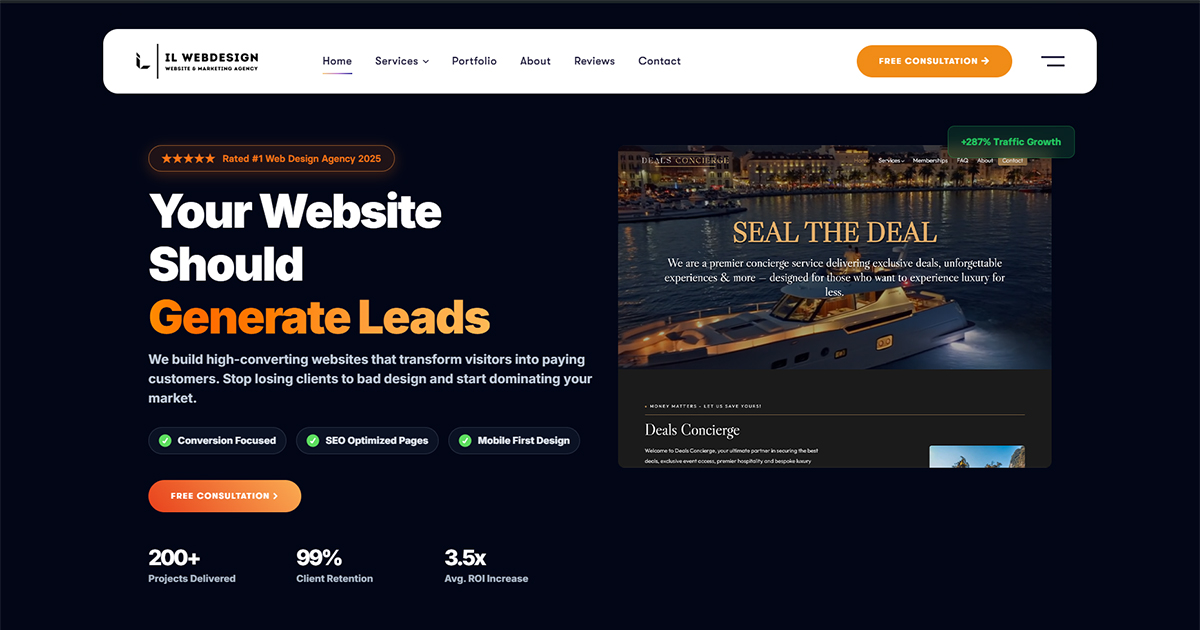
Above the Fold: 5 Proven Tips Every NYC Business Website Needs
Above the fold is one of the most critical concepts in web design for NYC small businesses. If you run a business in Manhattan or anywhere across NYC, your website is often the very first impression potential customers will have of you. And within that first impression, the most important piece of real estate on your entire site is what users see before they ever scroll. This is called the “above the fold” area — and getting it right can mean the difference between a visitor becoming a paying customer or clicking away within seconds. Understanding what above the fold means, what it should contain, and how to design it effectively is essential for any small business owner looking to improve their website’s performance, conversions, and local SEO rankings in a highly competitive market like New York City. What Does “Above the Fold” Mean in Web Design? The term “above the fold” originated in the newspaper publishing industry. When papers were folded in half and stacked on newsstands, only the top half of the front page was visible to passersby. Editors and publishers placed the most critical headlines, photographs, and stories in that top section to grab attention and drive sales — because no one would turn the paper over unless something in the top half convinced them it was worth reading. The same principle applies directly to your website. In web design, “above the fold” refers to the portion of a webpage that is immediately visible to the user without requiring any scrolling. The exact dimensions vary based on screen size, device type, browser settings, and screen resolution — but the concept remains constant: it is what your visitor sees first, instantly, and without any effort on their part. For most desktop screens, this is roughly the top 600–800 pixels of your page. On mobile devices, which have smaller viewports and often display only 400–500 pixels of visible content, the challenge becomes even more significant. For NYC small businesses competing in a crowded digital marketplace — where dozens of competitors are just a search result away — every single pixel in this zone must work hard for you. Why Above the Fold Content Is Critical for NYC Small Businesses Research from Nielsen Norman Group shows that users spend about 57% of their page-viewing time above the fold. That means the majority of your visitor’s focused attention is concentrated in the very first thing they see when your page loads. If your above the fold content fails to immediately communicate who you are, what you offer, and why it matters to the visitor, you lose that opportunity — and likely, that customer. For small businesses in Brooklyn, Queens, and Manhattan, this reality is especially important. Local service businesses — plumbers, lawyers, accountants, web designers, healthcare providers, financial advisors — face intense local competition online. A slow-loading, confusing, or generic homepage will send potential clients straight to a competitor. Your above the fold section must instantly communicate your value proposition with clarity and confidence. First Impressions Are Formed Almost Instantly Research has shown that users form a visual opinion about your website in as little as 50 milliseconds. That means your headline, imagery, color scheme, and overall layout must immediately signal trustworthiness, professionalism, and relevance — before a single word is read. A cluttered or generic above the fold section can destroy credibility faster than any negative review. For NYC businesses, where competition is fierce and consumers are sophisticated, first impressions are everything. The Fold Directly Affects Bounce Rate and Conversions If visitors cannot quickly determine what you offer and why they should stay on your site, they will bounce. Google uses behavioral signals — including bounce rate, time on page, and scroll depth — as indirect quality signals in its ranking algorithm. A well-optimized above the fold area keeps visitors engaged and scrolling, which benefits both conversion rates and long-term SEO performance. Higher engagement means lower bounce rates, more time on site, and better signals to search engines that your page is relevant and valuable. Key Elements Every Above the Fold Section Should Include Designing an effective above the fold section requires intentional, strategic decisions about what to include — and what to leave out. Based on NNGroup research on page design principles, the most effective hero sections for small business websites share a set of common high-performing elements. A Clear, Compelling Headline Your headline is the single most important element in the above the fold area. It should immediately communicate what your business does and who it serves. Avoid vague taglines like “Welcome to Our Website” or “Excellence in Service.” Instead, lead with a direct, specific value statement: “Expert Web Design for NYC Small Businesses” or “Manhattan’s Trusted Local SEO Agency.” The headline should naturally incorporate your primary keyword and speak directly to your target customer’s most pressing need or desire. A Strong Subheadline or Supporting Statement Directly beneath the headline, a supporting line adds context and reinforces your core value proposition. This is where you can introduce specific benefits, your geographic service area, or your unique differentiator. For example: “We help Brooklyn and Manhattan businesses build websites that attract local customers and grow consistent revenue.” Keep it concise — one to two sentences — and make it about the customer’s outcome, not just your services. A Clear and Prominent Call to Action (CTA) Every above the fold section must have one primary call to action. This might be “Get a Free Consultation,” “Request a Quote,” “Schedule a Call Today,” or “Call Us Now.” According to web.dev UI design principles, a single, prominent CTA consistently outperforms pages with multiple competing buttons. Use a contrasting button color that stands out from your background, make the button large enough to be easily tappable on mobile, and use action-oriented language that emphasizes the benefit to the visitor. A Relevant Hero Image or Visual Element The visual element in your above the fold section sets the emotional tone for the entire page