
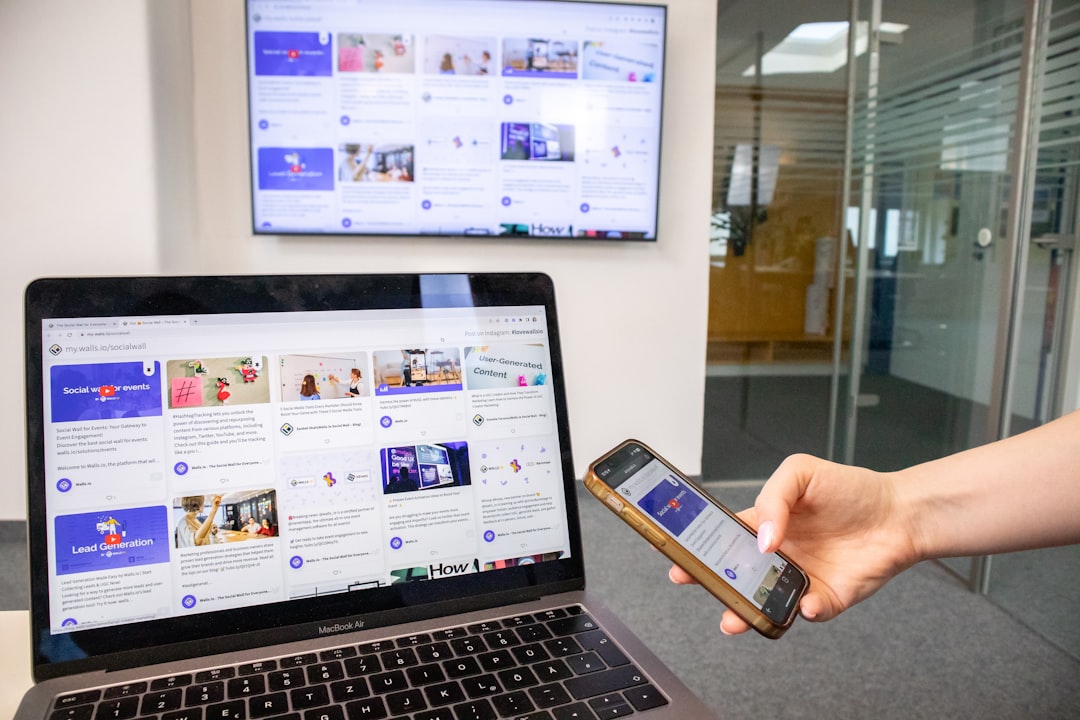
Walk down any block in Manhattan and you’ll see it everywhere — people glued to their smartphones, browsing, searching, and making purchasing decisions on the go. More than 60% of all web traffic now comes from mobile devices, yet many NYC small business websites were designed exclusively for desktop screens. The result? A frustrating experience that sends potential customers straight to a competitor. Mobile-first design is the approach that changes this equation — and for businesses competing in New York City’s crowded marketplace, it’s no longer optional. In this guide, we’ll break down exactly what mobile-first design is, why it matters for your business, and the concrete steps you can take to implement it.
What Is Mobile-First Design?
Mobile-first design is a web design philosophy and development approach that prioritizes the mobile user experience before scaling up to larger screens like tablets and desktops. Rather than designing a full desktop website and then trying to squeeze it down to fit a small phone screen, mobile-first designers start with the smallest screen and progressively enhance the design as screen size increases.
The term was popularized by designer and developer Luke Wroblewski, who argued in his 2009 book that starting with mobile constraints forces designers to focus on what truly matters — the core content and functionality. Everything else is secondary.
Mobile-First vs. Responsive Design: What’s the Difference?
These two terms are related but not identical. Responsive design simply means a website adapts to different screen sizes — it’s agnostic about where the design process starts. Mobile-first is a specific workflow within responsive design where the mobile layout is designed and coded first, then enhanced for larger screens using CSS media queries. In practice, most modern responsive sites should also be mobile-first in their construction — but many aren’t, and that gap shows up in user experience and performance metrics.
Mobile-First vs. Mobile-Only
Mobile-first doesn’t mean ignoring desktop users. A mobile-first website is fully functional and visually polished on all devices — it just ensures the mobile experience is never treated as an afterthought. Desktop users still get a rich, complete experience; mobile users get one that was designed with their specific context and constraints in mind from the very beginning.
Why Mobile-First Design Matters for NYC Small Businesses
If you run a small business in Manhattan, Brooklyn, or Queens, your customers are almost certainly finding you on mobile. New York City has one of the highest smartphone penetration rates in the country, and the fast-paced urban lifestyle means people search and decide quickly — often while commuting on the subway, walking between appointments, or standing in line for coffee.
The Numbers Don’t Lie
According to research published by Think With Google, 53% of mobile users abandon a site that takes longer than three seconds to load. Additionally, Google reports that 61% of users are unlikely to return to a mobile site they had trouble accessing. For a Manhattan restaurant, law firm, or retail shop competing in one of the world’s most competitive markets, that statistic represents real lost revenue.
A properly built mobile-first website on your homepage and service pages can be the deciding factor between a new customer calling you or clicking away to a competitor down the street.
Google’s Mobile-First Indexing
Perhaps the most compelling business reason to go mobile-first is that Google itself does. Since 2019, Google has used mobile-first indexing for all new websites, meaning it primarily uses the mobile version of your site to determine search rankings. If your mobile experience is poor, your rankings will suffer — regardless of how good your desktop site looks. We cover this in more detail in the SEO impact section below.
Key Principles of Mobile-First Web Design
Understanding what mobile-first design looks like in practice helps you evaluate your current website and communicate more effectively with your web designer. Here are the foundational principles that guide every mobile-first project at IL WebDesign.
1. Content Hierarchy: Lead With What Matters Most
Mobile screens are small. There’s no room for decorative padding, verbose copy, or secondary navigation. Mobile-first design forces a discipline of ruthless prioritization — every element on the page must earn its place. Designers start by identifying the single most important action a visitor should take (call now, book an appointment, request a quote) and build outward from there. As screen size increases, supporting content and design details are layered in. This process often results in better desktop designs too, because the core message is always clear and uncluttered.
2. Touch-Friendly Interface Elements
A mouse cursor is precise — a fingertip is not. Mobile-first design accounts for this by ensuring buttons and links are large enough to tap comfortably (Google recommends a minimum touch target size of 48×48 pixels), spacing elements so accidental taps are minimized, and avoiding hover-based interactions that don’t translate to touch screens. Navigation menus should use hamburger icons or similar patterns that are intuitive on mobile devices.
3. Performance and Speed Optimization
Mobile users are often on cellular connections — not fast home broadband. Mobile-first design treats performance as a design constraint from the start. This means compressing and properly sizing images, minimizing JavaScript, eliminating render-blocking resources, and choosing lightweight frameworks. According to web.dev, performance optimizations that benefit mobile users also dramatically improve Core Web Vitals scores — which directly affect your Google search rankings. You can learn more about how speed affects your visibility in our guide to page speed and SEO rankings.
4. Simplified Navigation
Complex multi-level navigation menus work on desktop but fail on mobile. Mobile-first sites use streamlined navigation structures — typically a primary menu with 5 or fewer items and clear, action-oriented labels. The goal is to get users to the most important pages in as few taps as possible. The importance of thoughtful navigation structure for your overall website is something we explore in depth in our guide to website navigation structure.
5. Legible Typography and Appropriate Spacing
Text that looks fine on a 27-inch monitor can be illegible on a 6-inch smartphone screen. Mobile-first design specifies font sizes (typically 16px or larger for body text), line heights (1.5–1.7 for readability), and adequate white space between elements. Headers are scaled appropriately, and long paragraphs are broken into shorter chunks that are easier to read while scrolling with a thumb.
Common Mobile-First Design Mistakes to Avoid
Even well-intentioned designers and business owners make these errors. Being aware of them helps you catch problems before they cost you customers.
Using Pop-Ups That Cover the Entire Screen
Pop-ups that work on desktop — newsletter sign-ups, offer announcements, cookie consent banners — become monstrous obstacles on mobile. Google actively penalizes intrusive interstitials (its term for these full-screen overlays) in its mobile search rankings. If you use pop-ups, ensure they can be easily dismissed with a clearly visible close button, appear after users have had a chance to engage with your content, and don’t cover the main content on mobile screens.
Embedding Non-Responsive Videos or Maps
A YouTube embed or Google Maps widget that hasn’t been made responsive will overflow its container on mobile screens, creating an ugly horizontal scroll or a clipped display. Always use responsive embed techniques (CSS percentage-based widths, aspect-ratio CSS property) for any embedded media.
Tiny Text and Unclickable Links
The Google Search Central documentation explicitly flags “text too small to read” and “clickable elements too close together” as mobile usability issues. Both hurt user experience and can trigger manual quality signals in Google’s ranking systems.
Relying on Hover States for Key Information
Drop-down menus, tooltips, and other hover-triggered interactions simply don’t exist on touch screens. If important information or navigation options only appear on hover, mobile users will never see them. Design all interactive elements to work via tap, not hover.
How Mobile-First Design Impacts SEO
The connection between mobile-first design and search engine optimization is direct and well-documented. Understanding it helps you make the business case for investing in a properly built mobile-first website.
Google’s Mobile-First Indexing: What It Means for Your Rankings
As mentioned earlier, Google uses the mobile version of your website to index and rank your pages. This means if your mobile site has less content than your desktop version, missing metadata, or slow load times, your rankings will be based on that inferior mobile experience — regardless of how good your desktop site is. According to Google Search Central, sites should have the same content and structured data on both mobile and desktop versions.
Core Web Vitals and Page Experience Signals
Google’s Core Web Vitals — Largest Contentful Paint (LCP), Interaction to Next Paint (INP), and Cumulative Layout Shift (CLS) — are all measured on mobile as the primary benchmark. A mobile-first design approach naturally leads to better Core Web Vitals scores because performance and layout stability are baked in from the beginning. Learn more about how these metrics affect your visibility in our detailed breakdown of Core Web Vitals and SEO.
Local SEO and Mobile Search Behavior
For NYC small businesses, local SEO and mobile search are deeply intertwined. “Near me” searches happen predominantly on mobile. When a potential customer searches “best accountant in Brooklyn” or “web designer Manhattan” on their phone, Google evaluates your mobile experience as part of the ranking calculation. A fast, mobile-optimized website combined with a well-maintained Google Business Profile gives you a significant competitive edge in local search results.
Steps to Implement Mobile-First Design for Your Business Website
Whether you’re building a new website or redesigning an existing one, these are the practical steps for ensuring a genuinely mobile-first result.
Step 1: Audit Your Current Mobile Experience
Start by testing your existing website on actual mobile devices — not just by resizing your browser window. Use Google’s free PageSpeed Insights and Mobile-Friendly Test tools to identify specific issues. Note what content is hard to read, which buttons are too small to tap, and how long pages take to load on a cellular connection.
Step 2: Define Your Mobile User’s Primary Goal
Before any design work begins, ask: when someone lands on this page from a mobile device, what is the single most important action they should take? For a restaurant, it’s probably “make a reservation” or “view the menu.” For a law firm, it’s “call for a consultation.” For a plumber, it’s “request emergency service.” This goal should be prominent above the fold on mobile — no scrolling required.
Step 3: Design the Mobile Layout First
Work with your designer to wireframe the mobile layout before touching the desktop design. Establish the content hierarchy, navigation structure, and call-to-action placement for small screens. The discipline this enforces — deciding what’s truly necessary — will make your desktop design stronger as well. This applies to all pages, including key pages like your service pages, which are often the highest-converting pages on a small business site.
Step 4: Optimize Images and Media for Mobile
Images are typically the largest assets on any webpage. Use modern image formats (WebP or AVIF), implement lazy loading so below-the-fold images only load when needed, and use the HTML srcset attribute to serve appropriately sized images based on screen size. Never serve a 2,000px wide image to a 400px phone screen — it wastes bandwidth and slows load time dramatically.
Step 5: Test Across Real Devices and Browsers
No design is complete until it has been tested on actual phones — both iOS and Android — across multiple browsers. Emulators and browser developer tools are useful for preliminary checks but don’t replicate real device performance. Test your phone call links (tel: links), form submissions, and checkout flows on mobile specifically, as these are common failure points.
Key Takeaways
Mobile-first design starts with the smallest screen and enhances upward — it’s not the same as simply making a desktop site responsive after the fact. With over 60% of web traffic coming from mobile devices and Google using mobile-first indexing for all websites, the quality of your mobile experience directly determines your search rankings and conversion rates. For NYC small businesses, where customers are constantly on the go and making fast decisions, a slow or poorly designed mobile site is a serious competitive disadvantage. The core principles — content prioritization, touch-friendly interfaces, performance optimization, simplified navigation, and legible typography — create better websites for all users, not just mobile ones. Implementing mobile-first design is an investment that pays dividends in lower bounce rates, higher engagement, better SEO rankings, and more conversions.
Is Your Website Built for Mobile-First NYC Customers?
At IL WebDesign, we build every website mobile-first from the ground up — ensuring fast load times, intuitive navigation, and a seamless experience on every device. Whether you’re launching a new site or redesigning an outdated one, we bring the technical expertise and NYC market knowledge to make your digital presence work harder for your business.
References
- Google Search Central — Understanding Mobile-First Indexing
- Think With Google — Mobile Search Trends and Consumer Behavior
- web.dev — Web Performance Fundamentals
- Nielsen Norman Group — Mobile-First: Not Mobile Only
Irwin
Founder of IL WebDesign, a NYC-based web design agency specializing in high-performance websites for small businesses. With years of experience in web development, SEO, and digital strategy, Irwin helps local businesses establish a powerful online presence that drives real results.