
You’ve invested in a website for your NYC small business. Your Google Analytics dashboard is running. Traffic is coming in. But then you notice a number that gives you pause — your bounce rate is 75%, 80%, or even higher. Should you be worried? Is it hurting your Google rankings? And what can you realistically do about it? Bounce rate is one of the most misunderstood metrics in digital marketing. This guide breaks down exactly what bounce rate is, how it relates to your SEO performance, and the concrete steps NYC small business owners can take to improve it.
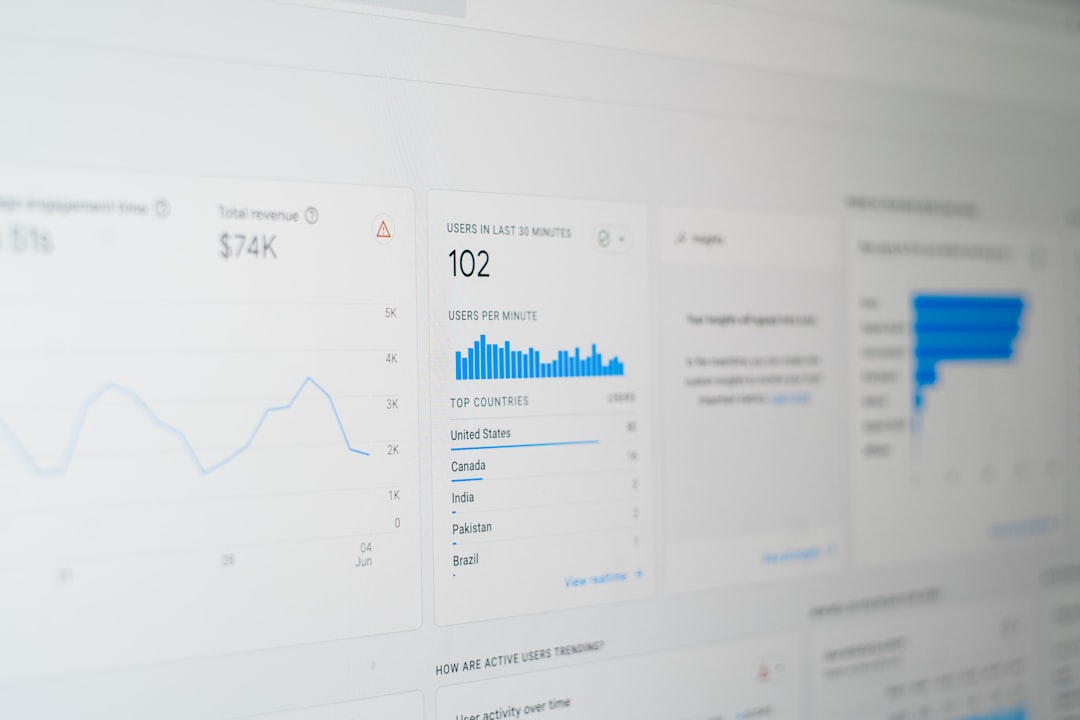
What Is Bounce Rate?
Bounce rate is the percentage of website visitors who land on a page and then leave without clicking to any other page on the same site. In other words, they visited one page, didn’t explore further, and left — whether after 10 seconds or 10 minutes.
In Google Analytics 4 (GA4) — the current standard — the metric has been slightly redefined. GA4 uses “engagement rate” as its primary metric, with bounce rate defined as the percentage of sessions that are not engaged. A session is considered “engaged” if the visitor stays for at least 10 seconds, views at least two pages, or triggers a conversion event. This makes the GA4 bounce rate meaningfully different from the Universal Analytics version, where any single-page session counted as a bounce regardless of time spent.
Bounce Rate vs. Exit Rate: What’s the Difference?
These two metrics are often confused. Exit rate measures how often a specific page is the last page someone views before leaving the site — but it counts users who visited other pages first. Bounce rate specifically measures single-page sessions where no further interaction occurred. A high exit rate on a contact confirmation page (after someone submits a form) is perfectly normal and expected. A high bounce rate on a service page typically signals a problem worth investigating.
What Is a Good vs. Bad Bounce Rate?
There is no single “correct” bounce rate — context matters enormously. According to data from Think With Google, bounce rates vary widely by industry, page type, and traffic source.
General Benchmarks by Page Type
Landing pages and paid ad destinations tend to have higher bounce rates (60–90%) because visitors often arrive with a specific intent — read the offer, decide yes or no, and leave. Blog posts also typically have higher bounce rates (65–90%) because readers often come from search, read the article, and return to Google without clicking elsewhere. E-commerce product pages and service pages generally should aim for lower bounce rates (20–45%) since engaged buyers explore multiple pages before converting. Contact pages and confirmation pages often have high bounce rates that are completely intentional — someone submitted a form, saw the thank-you message, and left.
What High Bounce Rate Actually Signals
A high bounce rate on a key service or homepage is worth investigating — it often indicates that visitors aren’t finding what they expected, the page loads too slowly, the design doesn’t build trust quickly, or the call-to-action isn’t clear. For NYC businesses where competition is fierce and ad costs are high, every visitor who bounces represents real money lost.
Does Bounce Rate Affect SEO Rankings?
This is the question every business owner asks — and the answer is nuanced. Google has officially stated that bounce rate from Google Analytics is not a direct ranking signal. Google does not have access to your GA4 data, and using it as a ranking factor would be unreliable since it can be easily manipulated.
Pogo-Sticking: The Indirect SEO Connection
However, bounce rate is correlated with a behavior that Google does measure: pogo-sticking. This occurs when a user clicks your result in Google’s search results, immediately returns to the results page, and clicks a competitor’s result instead. This pattern sends a clear negative signal to Google — your page didn’t satisfy the search intent. While Google hasn’t confirmed a direct penalty for pogo-sticking, the Search Quality Evaluator Guidelines emphasize user satisfaction as a core quality signal.
The practical conclusion: a high bounce rate combined with short time-on-page suggests your content isn’t meeting user expectations — which indirectly hurts your ability to maintain and improve rankings. If you’re working to improve your overall Core Web Vitals, addressing bounce rate issues often goes hand in hand since speed, stability, and user experience improvements benefit both metrics simultaneously.
Engagement Signals Google Does Use
Google’s ranking systems incorporate user satisfaction signals through mechanisms like click-through rate, dwell time, and the overall quality of the browsing experience. While bounce rate itself isn’t in the equation, the underlying problems that cause high bounce rates — slow load times, poor content quality, mismatched search intent — absolutely affect your rankings. Addressing bounce rate issues almost always means improving the same factors that Google’s algorithms reward.
Common Causes of a High Bounce Rate
Before you can fix a high bounce rate, you need to understand what’s causing it. For NYC small business websites, the most common culprits fall into a few clear categories.
1. Slow Page Load Speed
According to web.dev, pages that take more than 3 seconds to load see dramatically higher abandonment rates. In a city where everyone is moving fast and often on mobile, a slow website is an empty storefront. Learn more about the impact of speed in our detailed guide on page speed and SEO rankings.
2. Mismatched Search Intent
If someone searches “best divorce lawyer Manhattan” and lands on a generic homepage about your law firm, they’ll likely leave immediately. Your page content needs to precisely match what the visitor expected to find based on the link or ad they clicked. This is a core concept in SEO — aligning your content with the searcher’s intent — and it’s one of the most impactful factors in reducing bounce rates for informational, navigational, and transactional queries alike.
3. Poor Mobile Experience
With the majority of searches happening on smartphones, a website that isn’t optimized for mobile will see inflated bounce rates specifically from mobile visitors. Tiny text, buttons too small to tap, and horizontal scrolling all send users back to Google within seconds.
4. Unclear or Absent Call-to-Action
If a visitor doesn’t immediately understand what action to take next — call, book, shop, read more — they’ll often do nothing and leave. Clear, prominent calls-to-action guide users deeper into the site and dramatically lower bounce rates on key pages. We explore how to structure these effectively in our piece on why every page needs a clear CTA.
5. Low-Quality or Thin Content
If a visitor arrives on a page expecting detailed, helpful information and finds only a few sentences, they’ll leave and find a better resource. Google’s emphasis on E-E-A-T (Experience, Expertise, Authoritativeness, Trustworthiness) reflects exactly this user behavior — pages that provide genuine, substantive value earn engagement; shallow pages earn bounces.
How to Reduce Your Bounce Rate
Improving bounce rate is fundamentally about improving user experience. The following tactics work for virtually any NYC small business website, whether you’re a law firm, restaurant, contractor, or retailer.
Match Content to Search Intent
Review your top landing pages and the search queries that bring visitors to them. If there’s a mismatch between what users are searching for and what they find, rewrite the page to better align with that intent. Use Google Search Console to identify which queries are driving traffic to each page — this is the fastest way to spot intent mismatches.
Improve Page Load Speed
Run your key pages through Google’s PageSpeed Insights tool. Address the top recommendations — typically image optimization, eliminating render-blocking resources, and enabling browser caching. Even shaving one second off load time can meaningfully reduce bounce rates, particularly on mobile devices where cellular connections are slower than broadband.
Use Internal Links Strategically
Internal links give visitors natural pathways to explore your site further. A blog post about NYC web design trends should link to your web design service page. A service page should link to case studies or a portfolio. The role of internal linking in SEO is well-documented — it distributes page authority and keeps visitors engaged. Every high-traffic page on your site should have at least 3–5 relevant internal links pointing to related pages.
Optimize for Mobile
Test every key page on actual mobile devices — not just in desktop browser emulation mode. Ensure fonts are at least 16px, buttons are large enough to tap, and the most important content appears above the fold without scrolling. A mobile-first redesign is often the most impactful single intervention for reducing bounce rate on NYC business websites where the majority of traffic comes from smartphones.
Improve Visual Design and Trust Signals
Visitors make snap judgments about website credibility within milliseconds. Outdated design, stock photos, missing contact information, and no visible reviews or testimonials all increase bounce rates. For NYC small businesses, displaying Google reviews, professional photography, and clear contact details prominently can make a measurable difference in how long visitors stay.
How to Measure and Track Your Bounce Rate
Understanding your current bounce rate — and monitoring changes over time — requires proper analytics setup. Here’s how to find and interpret this data.
In Google Analytics 4
In GA4, navigate to Reports → Engagement → Pages and Screens. Add “Bounce rate” as a secondary metric (it’s not shown by default). You’ll see bounce rates broken down by page, allowing you to identify which specific pages have the highest rates. Focus your optimization efforts on pages that receive significant traffic — a high bounce rate on a page that gets 5 visits per month isn’t worth prioritizing.
Segment by Traffic Source
Bounce rate varies dramatically by traffic source. Organic search traffic typically has lower bounce rates than social media traffic, which in turn is lower than display advertising. If you’re running Google Ads and seeing high bounce rates from paid traffic, that signals a landing page relevance problem — your ad promises something the landing page doesn’t deliver. This is a critical optimization both for user experience and for your Google Ads Quality Score, which rewards landing page relevance with lower cost-per-click.
Set Realistic Benchmarks
Compare your bounce rate against your own historical data first. A 10% improvement on a high-traffic page — going from 75% to 65% — can translate to dozens of additional engaged visitors per month, which compounds over time into more inquiries, more sales, and better search rankings. Use Google Search Console alongside GA4 to correlate bounce rate improvements with changes in search ranking and click-through rate.
Key Takeaways
Bounce rate measures the percentage of visitors who leave your site after viewing only one page. While Google doesn’t use bounce rate from Analytics as a direct ranking signal, the underlying problems that cause high bounce rates — slow speed, mismatched intent, poor mobile experience, weak CTAs — directly impact user satisfaction and indirectly affect your rankings through pogo-sticking behavior. For NYC small businesses, target bounce rates below 60% on key service and landing pages. The most effective fixes are improving page speed, aligning content precisely with search intent, strengthening internal linking, and ensuring a mobile-first experience. Monitor bounce rate by page and by traffic source in GA4 to prioritize your optimization efforts where they’ll have the greatest business impact.
Is a High Bounce Rate Costing Your NYC Business Customers?
At IL WebDesign, we combine technical SEO expertise with conversion-focused web design to build sites that engage NYC visitors and turn them into paying customers. From page speed optimization to mobile-first redesigns, we address the root causes of high bounce rates — not just the symptoms.
References
- Google Search Central — How Google’s Ranking Systems Work
- Think With Google — Mobile Site Load Time and User Behavior
- web.dev — Web Performance and User Experience
- Moz Learn SEO — Internal Links: Why They Matter