
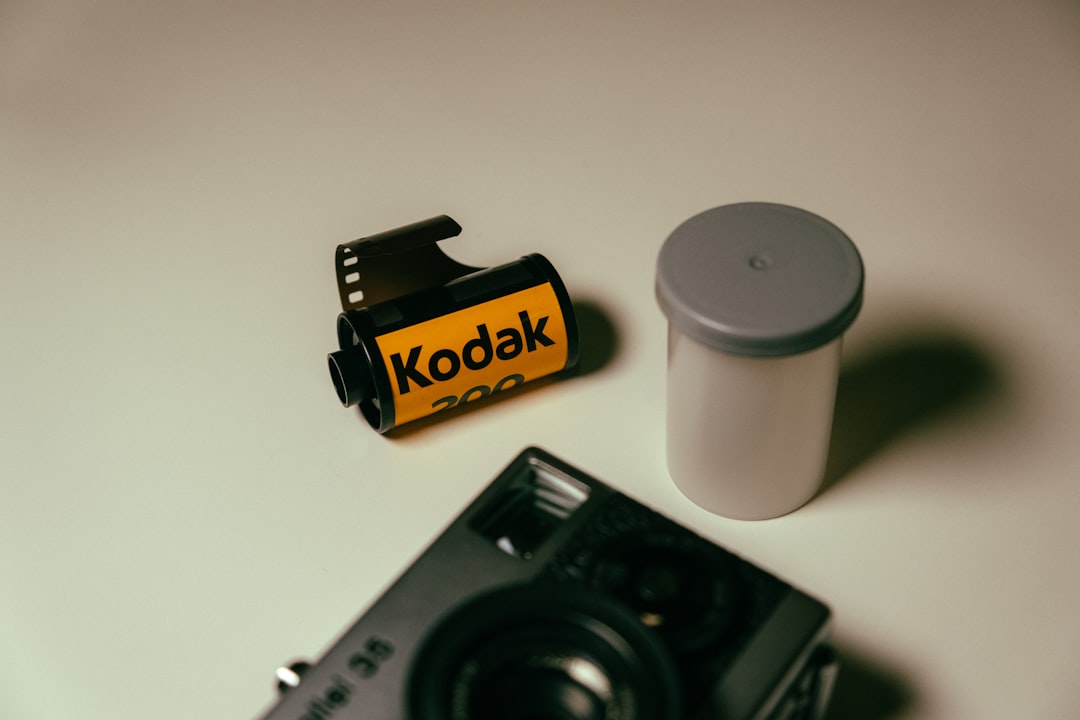
The images on your business website do more than fill space — they shape how visitors feel about your brand within the first second of arrival. Choosing between stock photos and original photography is one of the most overlooked decisions in modern web design. For NYC small businesses competing against thousands of polished websites across Manhattan, Brooklyn, and Queens, image quality often makes the difference between a visitor who stays and one who clicks the back button. The big question every business owner faces: should you use stock photos or invest in custom photography? The honest answer is that most NYC businesses need a smart blend of both, and choosing the right mix can dramatically improve trust, conversions, and even SEO performance. This guide walks you through everything you need to make that decision with confidence.
Why the Right Images Matter for Your NYC Business Website
Visitors form an opinion about your website in roughly 50 milliseconds — faster than they can read your headline. Research published by the Nielsen Norman Group shows that users immediately ignore generic decorative photos but pay close attention to images that contain real, useful content. That single insight should reshape how you think about every photo on your site. A meaningful image — whether sourced from stock photos or shot custom — can communicate trust, expertise, and personality in a way that even the best body copy cannot.
For NYC businesses, this stakes are even higher. Manhattan customers are sophisticated, frequently shopping multiple service providers in a single browsing session before contacting any of them. The first business whose imagery feels authentic, professional, and locally relevant tends to win the inquiry. A staged photo of a generic open-plan office tells visitors nothing about your service quality or your team. A clear photo of your actual storefront in Tribeca or your team meeting at a real conference table builds an immediate emotional connection.
Images also influence conversion rate optimization in measurable ways. When the image directly supports the message of the page, conversion rates rise. When images contradict the message — say, a smiling stock model on a complex B2B service page — visitors disengage. The same principle applies to your hero section, your About page, and every product or service block on your site. Every image is either earning you a click toward conversion or undermining the trust you just spent paragraphs building.
The Trust Equation
Authentic imagery signals that you are a real business with real people doing real work. NYC consumers have become exceptionally good at spotting overused stock photography. The smiling woman with the headset, the four-person diverse team in matching white shirts, the handshake over a glass conference table — these images appear on so many websites that they actively reduce trust. If a Manhattan customer recognizes the same headshot on three competing sites, your credibility takes a hit even if everything else on your page is excellent.
Stock Photos: Pros, Cons, and Best Practices
Stock photography is the practical backbone of most small business websites. The advantages are real: cost is low or free, the variety is enormous, and you can launch a website on day one without scheduling a photo shoot. For background imagery, blog post headers, abstract concepts, or service categories where original photography is impractical, stock images make sense.
The downside is also real. Mass-market stock photos lack specificity. They never show your team, your products, or your actual location. And because thousands of other businesses are downloading the same stock photos, your visitors may have already seen your hero image on a competitor’s homepage. Worse, free stock libraries vary widely in quality. Some images look professional, while others have tell-tale signs of staging — exaggerated facial expressions, unrealistic lighting, or cliché compositions.
Where to Find Quality Stock Photography
The free libraries to consider are Unsplash, Pexels, and Pixabay, all of which permit commercial use without attribution. Premium stock photos from sources like Adobe Stock and Shutterstock costs more but gives you access to better-curated imagery and rights-managed exclusivity for an extra fee. Whichever route you choose, follow these rules: avoid images with people staring directly at the camera, skip anything that screams “staged office”, prefer photos with natural lighting, and choose images that include specific details rather than abstract concepts.
When Stock Photos Are Acceptable for NYC Sites
Stock photography works well for blog post imagery, abstract concept visuals (analytics dashboards, technology backgrounds), seasonal banners, and any decorative element where authenticity is not critical. They also fill gaps when you need imagery for content categories you cannot easily photograph yourself, such as global financial markets or medical imaging concepts.
Custom Photography: When It Pays Off
Custom photography is the imagery you create specifically for your business. It can include team headshots, office interiors, product detail shots, in-progress work documentation, and behind-the-scenes content showing how your service actually gets delivered. Custom photography solves the authenticity problem stock can never address: it shows your real people, your real space, and your real work product.
Cost is the obvious objection. A half-day shoot with a NYC commercial photographer typically runs between $750 and $2,500, depending on whether you need retouching, multiple locations, or a stylist. That feels expensive until you compare it against the lifetime value of a single new client won by a more credible website. For most service businesses in Manhattan, even a single conversion can pay for the entire shoot.
High-ROI Pages for Custom Imagery
Concentrate your custom photography budget on the pages that influence buying decisions: your homepage hero, your About page, and your service or pricing pages. These pages drive conversion. A confident, well-lit photo of you and your team beats a stock image of a stranger in every measurable way. Headshots of real staff also boost the believability of your testimonial sections and case studies.
DIY Photography for Tight Budgets
If hiring a professional is not in the budget today, your phone is more than capable. Modern smartphones produce images that rival many professional cameras when used in good light. Shoot near large windows during daytime, use the standard wide lens (avoid the ultra-wide for people shots), wipe the lens before every photo, and shoot a few extra frames so you have options. For headshots, a plain wall and natural light produce surprisingly clean results.
How to Choose the Right Mix for Your Business
The most effective NYC business websites blend custom and stock imagery strategically. Custom shots earn the highest-value real estate — anything above the fold, anywhere visitors form first impressions. Stock photos take the supporting role across less prominent pages, filling out blog content, background visuals, and conceptual imagery where authenticity is less critical.
A practical rule of thumb when weighing stock photos against custom shots: if a customer’s decision could be influenced by what they see in the photo, use custom photography. If the image is decorative or merely supports a generic concept, stock photos are fine. Your About page should never feature stock people. Your case studies should never show generic offices. Your homepage hero should never feature a model who has nothing to do with your service.
A Suggested Allocation by Business Type
Service-based businesses (legal, accounting, real estate, consulting) benefit most from custom team photography because trust is the entire purchase decision. Aim for at least 70 percent custom across hero, About, and service pages. Retail and e-commerce businesses need custom product photography on every product page — this is non-negotiable for conversion. Stock photos can fill blog imagery and lifestyle backgrounds. Restaurants, salons, and other physical NYC businesses benefit hugely from interior, exterior, and food or service photography that shows the actual experience.
Common Image Mistakes NYC Businesses Make
The most common image mistake is using cliché stock photos in places where authenticity matters most. The handshake-over-conference-table image, the person with the headset wearing a generic smile, the diverse team standing in a perfect line — these tropes signal “we have not invested in our website” to anyone paying attention.
The second most common mistake is image bloat. Uncompressed photos slow down your site and damage your page load speed, which directly hurts conversions. The team at web.dev documents how every additional second of load time meaningfully reduces conversion rates, particularly on mobile networks where most NYC visitors browse during commutes.
Other common errors include images that do not match the surrounding copy, images of people whose appearance does not reflect your actual customer base, images with no descriptive alt text (which hurts accessibility and SEO), and inconsistent visual style across the site. Visitors notice when one section uses warm-toned outdoor shots and the next uses cold indoor stock — it makes the brand feel disorganized.
Watch for License Compliance
If you download a stock image, confirm the license actually allows commercial use on a website. Some “free” images on Google Images are copyrighted. Following stock library terms is essential — using a copyrighted image without permission can lead to costly takedown notices from agencies that aggressively monitor commercial websites.
Technical Checklist Before You Publish
Before any image goes live, run through this short checklist. First, compress every image. JPEG is appropriate for photos, while WebP and AVIF formats offer better compression at the same quality and are now supported by every modern browser according to Google Search Central guidance on Google Images. Aim for hero images under 200 KB and inline images under 100 KB whenever possible.
Second, set responsive sizes. A 4000-pixel-wide hero image looks great on a 5K monitor and terrible on a phone trying to download it on a subway connection. Modern image formats and the HTML srcset attribute serve appropriately sized files to each device. Third, write descriptive alt text. Every image needs alternate text that explains what the image shows — both for accessibility tools and for search engines crawling your site. Fourth, name files descriptively. nyc-bakery-storefront.jpg beats IMG_3247.jpg in every way.
Fifth, verify visual hierarchy. Your hero image should be the visually heaviest image on the page. If your About photo is more striking than your homepage hero, you are working against your own conversion path. Finally, check images on three different devices before publishing. What looks balanced on desktop may overwhelm a mobile screen, and vice versa.
Key Takeaways
Visitors decide whether to trust your business in roughly 50 milliseconds, so every image on your NYC website matters more than you might think. Stock photography is fine for decorative or conceptual imagery, but custom photography wins on the high-stakes pages where real trust gets built — your homepage hero, About page, services, and case studies. The best NYC business websites blend the two strategically: custom imagery for the moments of decision, stock for the supporting cast. Always optimize for file size, write descriptive alt text, and confirm license compliance before publishing. The investment in better imagery typically pays for itself with the very first new client it attracts.
Ready to Upgrade Your NYC Business Website’s Visual Story?
IL WebDesign helps Manhattan, Brooklyn, and Queens businesses choose, source, and optimize the right imagery to drive real conversions. Whether you need help selecting stock, art-directing a custom shoot, or rebuilding pages around stronger visuals, our team can audit your current site and recommend a clear, ROI-focused upgrade plan.
References
- Nielsen Norman Group — Photos as Web Content — Research on how users interact with photographs on websites.
- Google Search Central — Google Images Best Practices — Official guidance on image SEO, formats, and indexing.
- web.dev — Fast Loading Pages — Technical performance guidance from the Chrome team.
- W3C Web Accessibility Initiative — Images Tutorial — Accessibility standards for descriptive alt text.
- Moz — Image Alt Text Guide — How alt text influences SEO and accessibility.
Irwin
Founder of IL WebDesign, a NYC-based web design agency specializing in high-performance websites for small businesses. With years of experience in web development, SEO, and digital strategy, Irwin helps local businesses establish a powerful online presence that drives real results.