A laptop computer sitting on top of a table — IL WebDesign Manhattan

What Is Page Speed and How Does It Affect Your SEO Rankings?

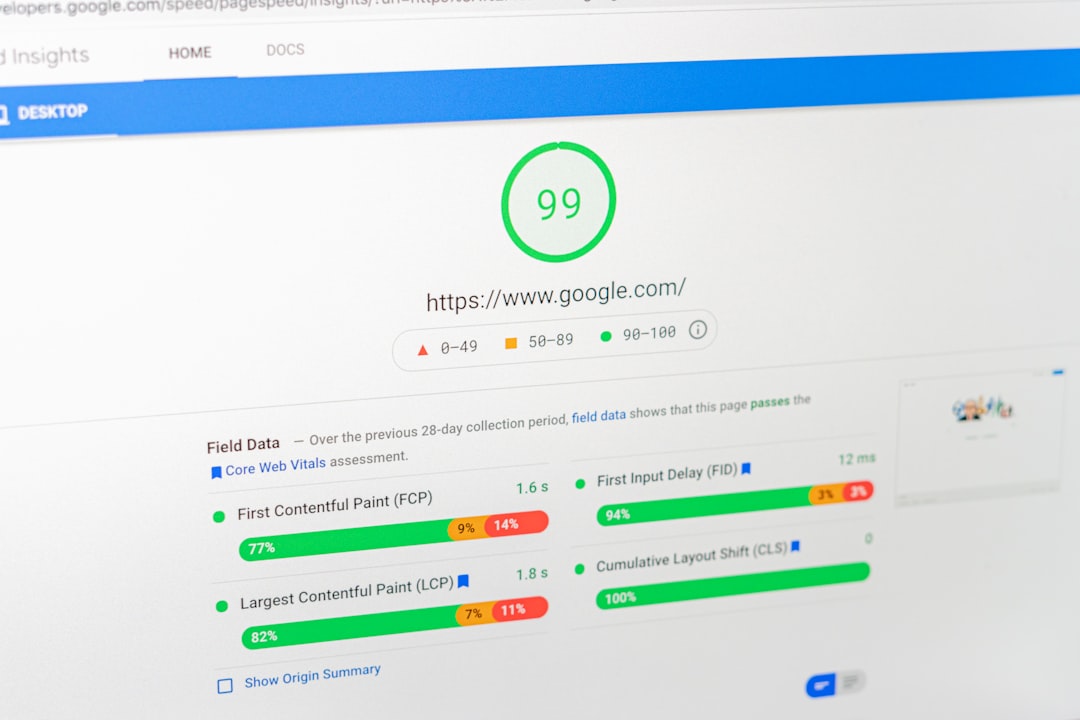
Page speed SEO is one of the most critical yet frequently overlooked factors for NYC small businesses. Whether you run a boutique in Manhattan, a law firm in Brooklyn, or a restaurant in Queens, your page speed SEO performance directly impacts how high you rank in Google search results — and how many visitors stay on your site long enough to become customers. In this guide, we’ll break down exactly what page speed SEO means, why it matters so much for Google rankings, and what actionable steps you can take to improve it for your New York City business website. What Is Page Speed? Page speed refers to how quickly the content of a specific web page loads when a user navigates to it. It is typically measured in seconds and can be evaluated using several specific metrics that search engines and performance tools use to assess user experience. Page speed is not the same as website speed — page speed refers to a single page, while website speed is a broader measure of performance across your entire site. Google uses a set of performance metrics called Core Web Vitals to evaluate page speed. These include: Largest Contentful Paint (LCP) LCP measures how long it takes for the largest visible element on a page — usually a hero image or a large text block — to load. Google recommends an LCP of under 2.5 seconds. Pages that load their main content quickly signal to Google that the experience is smooth and fast for users. A slow LCP score can significantly hurt your rankings, especially on competitive local searches where NYC businesses are vying for the same keywords. Interaction to Next Paint (INP) INP measures the time between a user interacting with your page (clicking, tapping, or typing) and the next visual update on screen. This metric replaced First Input Delay (FID) as Google’s primary interactivity metric. For NYC service businesses where users frequently click on forms, phone number links, or booking buttons, a poor INP score can lead to higher abandonment rates and lower search rankings. Cumulative Layout Shift (CLS) CLS measures visual stability — how much the page elements shift around as the page loads. A high CLS score means content jumps unexpectedly, which frustrates users and signals poor quality to Google. For example, if a user is about to click your “Contact Us” button and an image loads and pushes the button down, that causes a layout shift. According to web.dev, a CLS score below 0.1 is considered good. Why Page Speed Affects Your SEO Rankings Google officially confirmed page speed as a ranking factor for both desktop searches in 2010 and mobile searches in 2018. Since then, with the introduction of Core Web Vitals as a ranking signal in 2021, the connection between page speed and SEO has become even more direct and measurable. Here’s why page speed has such a powerful impact on your rankings: Google Rewards Fast Pages in Search Results When Google crawls and indexes your website, it evaluates the experience users will have on your page. Slow pages create a poor user experience, and Google’s mission is to connect users with the best possible results. If your NYC business website loads in 5 seconds while a competitor’s loads in 1.5 seconds, Google is more likely to rank the faster site higher — all else being equal. The Google Search Central documentation on Core Web Vitals is clear that these metrics influence ranking decisions. High Bounce Rates Tank Your Rankings When users arrive at a slow-loading page, they bounce — they leave without engaging. Research consistently shows that 53% of mobile users abandon a site that takes more than 3 seconds to load. For NYC businesses, where potential customers often search on their smartphones while commuting or walking through the city, a slow mobile experience is especially damaging. High bounce rates signal to Google that your page isn’t delivering what users need, which leads to ranking drops over time. Page Speed Affects Crawl Budget Google allocates a specific crawl budget to each website — the number of pages Googlebot will crawl in a given time period. Slow pages consume more of this budget because they take longer to process. For small business websites with dozens or hundreds of pages, a sluggish server or unoptimized pages can mean some of your pages never get indexed at all. Google’s crawl budget guide explains how site speed directly affects indexing efficiency. How to Measure Your Page Speed Before you can improve your page speed, you need to measure it accurately. Several free tools are available to give you a comprehensive picture of your site’s performance: Google PageSpeed Insights Google’s own tool at PageSpeed Insights analyzes your page and provides separate scores for mobile and desktop performance, along with specific recommendations for improvement. It runs your page through Lighthouse, Google’s open-source auditing tool, and grades you on Core Web Vitals metrics. For any NYC small business website, the mobile score is particularly important since most local searches happen on smartphones. Google Search Console Core Web Vitals Report If you have Google Search Console set up (which every business should), the Core Web Vitals report shows you which specific pages on your site are flagged as “Poor” or “Needs Improvement.” This report groups pages by issue type so you can see exactly what’s causing slowdowns across your site. It’s one of the most actionable performance reports available at no cost. web.dev Measure Tool The web.dev performance measurement tool provides a comprehensive Lighthouse audit that covers performance, accessibility, SEO, and best practices in a single report. It’s especially useful for getting a holistic view of how your site performs across multiple dimensions simultaneously. Top Causes of Slow Page Speed for NYC Small Business Websites Understanding why pages load slowly is the first step toward fixing them. The most common culprits for slow page speeds on small business websites include: Unoptimized Images Large, uncompressed images are the number one cause
Laptop screen displays four button style options. — IL WebDesign Manhattan

How to Build Backlinks for a Small Business Website

Learning how to build backlinks for a small business website is one of the most impactful SEO investments you can make. For NYC small businesses competing in one of the world’s most crowded markets — from Manhattan law firms to Brooklyn boutiques to Queens restaurants — backlinks remain a cornerstone of search engine visibility. A backlink is a link from another website pointing to yours, and search engines like Google treat these links as votes of confidence. The more high-quality backlinks your site earns, the more authority and trust it accumulates in Google’s eyes. But not all backlinks are created equal. In this guide, we’ll walk you through the most effective and ethical strategies to build backlinks for a small business website, with a specific focus on what works for NYC-based companies targeting local customers. Every strategy here is designed to be actionable, white-hat, and sustainable for businesses that don’t have a full-time SEO team. When you consistently work to build backlinks for a small business website, the compounding SEO benefits become one of your most cost-effective marketing investments. Why Backlinks Still Matter for Small Business SEO in 2026 Despite the many changes to Google’s algorithm over the years, backlinks remain one of the most powerful ranking factors. According to Moz’s research on backlinks, links from other websites are among the top signals Google uses to determine a page’s authority and relevance. For small businesses in competitive local markets like New York City, even a modest number of high-quality backlinks can significantly improve your visibility in local search results. The key distinction for 2026 is quality over quantity. A single link from a reputable local NYC media outlet, industry association, or established business directory is worth far more than dozens of links from low-quality or unrelated websites. Google has become increasingly sophisticated at identifying and discounting manipulative link schemes, so your focus should always be on earning links that are genuinely relevant and valuable. Local Backlinks vs. National Backlinks For NYC small businesses primarily serving local customers, local backlinks — links from other NYC-based websites, local news outlets, neighborhood associations, and borough-specific business groups — carry particular relevance. While national backlinks from authoritative domains are always valuable, don’t underestimate the power of local citation and link building for capturing the customers in your geographic area who are most likely to actually hire you or visit your location. Strategy 1: Local Business Directories and Citations The foundation of any small business backlink strategy is ensuring your business is accurately listed in high-authority local and industry-specific directories. These citations serve dual purposes: they provide valuable backlinks and they reinforce your business’s NAP (Name, Address, Phone) consistency, which is critical for local SEO. Essential Directories for NYC Small Businesses Start with the most authoritative general directories: Google Business Profile, Yelp, the Better Business Bureau, Bing Places, and Apple Maps. These are non-negotiable for any NYC small business. Next, seek out industry-specific directories relevant to your niche — legal directories for law firms, Houzz for contractors, ZocDoc for healthcare providers, OpenTable for restaurants, and so on. Then look for NYC-specific directories and business associations: the NYC Department of Small Business Services maintains resources for local businesses, and borough-specific chambers of commerce (Manhattan Chamber, Brooklyn Chamber of Commerce, Queens Chamber of Commerce) often have member directories that include backlinks to member websites. According to Google Business Profile Help documentation, consistent citations across trusted directories also strengthen your local search presence. Neighborhood and Hyper-Local Listings Don’t overlook hyper-local resources. NYC neighborhood blogs, local business improvement districts (BIDs), and community websites often have resource pages or member directories. A link from the Flatiron/23rd Street Partnership BID or a popular neighborhood blog in Park Slope carries real local relevance and can be surprisingly impactful for local search rankings. Strategy 2: Earn Links Through Content Marketing One of the most sustainable ways to build backlinks for a small business website is to create content that other websites genuinely want to link to. This is often called “link-worthy content” or “linkable assets.” While this requires more upfront investment than directory listings, the results compound over time and can generate backlinks passively for years. Create Locally Relevant Resources Content that combines your expertise with local NYC relevance tends to earn the most links. Examples include: a comprehensive guide to regulations in your industry specific to New York City, a data-driven analysis of local market trends, a curated resource list for NYC businesses in your niche, or an annual report on local industry conditions. This type of content gives journalists, bloggers, and other businesses a reason to reference and link to you. Statistics and Original Research Original data is highly linkable. If you can conduct surveys, analyze publicly available data, or compile statistics relevant to your industry and NYC market, you create a citable resource. Other bloggers and journalists will naturally link to the source when referencing your data. According to Moz’s link building guide, data-driven content consistently outperforms other content types for earning inbound links. Strategy 3: Local PR and Media Outreach NYC is one of the most media-dense cities in the world, with dozens of local newspapers, neighborhood publications, borough-specific news sites, and industry trade publications. Getting your business featured in local media is one of the highest-value ways to build backlinks for a small business website in a competitive market like New York. How to Pitch Local NYC Media Start by identifying publications that cover businesses like yours: Crain’s New York Business, Gothamist, The Village Sun, Brooklyn Eagle, QNS (Queens news), local TV station websites, and niche industry publications. Then identify the reporters who cover your beat and follow their work. Build relationships before you pitch. When you do reach out, your pitch should be genuinely newsworthy — a significant business milestone, a unique service that serves NYC residents, or a local angle on a broader trend. HARO and Expert Positioning Help a Reporter Out (HARO) and similar platforms connect journalists with expert sources. Signing up and consistently
crawl budget SEO optimization strategy

What Is Crawl Budget and Why Does It Matter for SEO?

What Is Crawl Budget and Why Does It Matter for SEO? Crawl budget SEO is one of the most underestimated technical factors that determines how well your website performs in Google search results. If you’ve ever wondered why some of your pages aren’t showing up in Google — even after publishing them weeks ago — crawl budget could be the reason. For NYC small businesses competing in crowded local markets, making sure Google indexes every important page on your site is not optional. It’s essential. In this guide, we’ll break down exactly what crawl budget means, why it matters, and the practical steps you can take to optimize it — even if you’re not a technical expert. What Is a Crawl Budget? When Google’s bots (called Googlebot) visit your website, they don’t crawl every page every day. They have a limited amount of time and resources to spend on each site. Your crawl budget is essentially the number of pages Googlebot will crawl on your site within a given timeframe. Google determines your crawl budget based on two main factors: Crawl Rate Limit: This is how fast Googlebot can crawl your site without overloading your server. If your server is slow or frequently returns errors, Google will crawl your site less often to avoid causing problems. Crawl Demand: This is how much Google wants to crawl your pages based on their popularity and freshness. Pages that are frequently updated or earn lots of backlinks tend to get crawled more often. Together, these two factors determine how many pages Google crawls on your site each day. According to Google’s official crawl budget documentation, for most small and medium-sized websites, crawl budget is not a pressing concern. But for larger sites — or sites with many low-quality, duplicate, or redirect-heavy pages — it can become a significant barrier to ranking. Why Does Crawl Budget SEO Matter for Your Business? Crawl budget SEO matters because a page that hasn’t been crawled cannot be indexed. And a page that isn’t indexed cannot rank in search results. If Googlebot is wasting its crawl budget on low-value pages — like admin pages, duplicate content, or infinite scroll parameters — it might never get around to crawling your best content. Here’s a real-world scenario: Imagine you run a home services company in Brooklyn with 50 service area pages. If your site has hundreds of thin, low-quality blog posts from years ago, Googlebot might spend all its time crawling those old posts and never fully index your new service pages. The result? Your high-converting service pages don’t show up when potential customers search for you. This is especially common for e-commerce websites, news sites, and any site with a large content library. But even small business websites can run into crawl budget issues if they’re not well-maintained. 7 Ways to Optimize Your Crawl Budget SEO 1. Fix Crawl Errors First Before anything else, log into Google Search Console and check the Coverage report. This report shows which pages Google has successfully indexed, which are excluded, and which are returning errors. 404 errors, redirect chains, and server errors all waste crawl budget. Fix 404 errors by either restoring the missing pages or setting up proper 301 redirects to the most relevant live page. Eliminate redirect chains — if Page A redirects to Page B which redirects to Page C, Googlebot may give up before reaching the final destination. Aim for direct, single-hop redirects wherever possible. 2. Block Low-Value Pages with Robots.txt Your robots.txt file tells Googlebot which sections of your site it should and shouldn’t crawl. Use it to block pages that have no SEO value, such as: Admin and login pages (e.g., /wp-admin/), thank-you pages after form submissions, internal search results pages, and cart or checkout pages for e-commerce sites. By blocking these low-value pages, you direct Googlebot’s attention toward the pages that actually matter — your service pages, blog posts, and landing pages. 3. Use Canonical Tags Correctly If your site has duplicate or near-duplicate content — such as the same product appearing under multiple category URLs — canonical tags tell Google which version is the “official” one. This prevents Googlebot from crawling multiple versions of the same page and wasting budget on duplicates. For example, if your blog post appears at both /blog/post-name/ and /?p=123, a canonical tag on both URLs pointing to the blog version tells Google to only index and prioritize that one. Most SEO plugins for WordPress, including Rank Math, handle canonical tags automatically when configured correctly. 4. Improve Your Site Speed Your crawl rate limit is directly tied to your server’s performance. A fast, reliable server encourages Google to crawl more pages per day. A slow server — one that takes several seconds to respond — causes Googlebot to back off and crawl fewer pages. To improve crawl rate: use a quality web host with fast server response times, enable browser caching and GZIP compression, use a content delivery network (CDN) to serve pages faster, and compress images before uploading them. According to Google’s Core Web Vitals guidelines, pages should aim for a Time to First Byte (TTFB) under 800ms. Faster TTFB means faster crawling. 5. Update Your XML Sitemap Your XML sitemap is a roadmap for Googlebot. It lists all the important pages on your site so Google knows they exist and can prioritize crawling them. Make sure your sitemap only includes pages you actually want indexed — not redirects, 404 pages, noindexed pages, or thin content. Submit your sitemap to Google Search Console via the Sitemaps report. If you use WordPress with a plugin like Rank Math or Yoast SEO, your sitemap is typically generated automatically. Regularly audit your sitemap to remove any pages that shouldn’t be there. A clean, accurate sitemap is one of the most effective ways to help Google find and crawl your most important content efficiently. 6. Remove or Consolidate Thin Content Thin content — pages with very little useful information — is one of
a laptop computer sitting on top of a white desk — IL WebDesign Manhattan

What Is Domain Authority and How Do You Improve It?

If you’ve spent any time researching SEO for your NYC business, you’ve likely encountered the term domain authority. It appears in SEO tools, agency reports, and competitor analyses — but many business owners aren’t entirely sure what it means or why it matters. Domain authority is a metric developed by Moz that predicts how well a website is likely to rank in search engine results pages (SERPs). While it’s not a metric used directly by Google, it’s a widely accepted proxy for measuring the overall strength and credibility of a website’s backlink profile. In this guide, we’ll break down exactly what domain authority is, how it’s calculated, and — most importantly — what NYC small businesses can do to improve it. What Is Domain Authority? Domain authority (DA) is a score ranging from 1 to 100 that was created by Moz to estimate how likely a website is to rank well in search results. The higher the score, the stronger the site’s perceived authority. Brand-new websites start with a DA of 1, while major platforms like Wikipedia, YouTube, and government sites routinely score in the 90s. Who Created Domain Authority and Why Does It Matter? Moz introduced domain authority as a way to give website owners and SEO professionals a standardized, comparative measure of site strength. Because Google doesn’t publicly share its own site-level ranking signals, DA became the industry standard shorthand for gauging how competitive a domain is. While Google does not use DA directly in its algorithm, the factors that contribute to a high DA — quality backlinks, trustworthy content, strong technical SEO — closely overlap with what Google’s algorithm values. So improving your domain authority is effectively the same as improving the signals Google cares about. For Manhattan, Brooklyn, and Queens businesses competing in tough local markets, a higher DA often translates directly to better organic rankings and more visibility. Domain Authority vs. Page Authority Moz offers two related metrics: Domain Authority evaluates an entire domain or subdomain, while Page Authority (PA) scores individual pages. Both are scored 1–100. When optimizing for specific keywords, page authority matters for individual landing pages, but domain authority reflects your site’s overall competitive standing. A site with high DA tends to have multiple strong pages that rank well across many different search queries. How Is Domain Authority Calculated? Moz’s domain authority algorithm uses machine learning to analyze dozens of factors and generate a score that correlates with actual ranking performance across search engines. Understanding what drives this score helps you prioritize the right SEO activities for your business. Backlink Profile: The Core Driver The most significant factor in domain authority is your backlink profile — specifically the number and quality of external websites linking to your domain. Moz evaluates each backlink based on the DA of the linking domain, the relevance of the linking page, and whether the link is followed or nofollow. A single link from a high-DA publication like a major news outlet or industry association is worth far more than dozens of links from low-quality directories. For NYC businesses, this means earning mentions and links from respected local sources — Manhattan neighborhood blogs, the New York Chamber of Commerce, local business associations, or NYC-focused industry publications — can be particularly valuable for building domain authority in a geographically relevant way. Linking Root Domains Moz places heavy emphasis not just on total backlinks but on the number of unique linking root domains. One hundred links from a single website count far less than 10 links from 10 different authoritative sites. Diversifying your backlink sources by earning coverage across a wide range of reputable websites is a key strategy for improving domain authority. According to Moz’s domain authority documentation, this diversity signals broad trust across the web. Technical SEO and Site Structure While backlinks are the primary driver, technical SEO factors also influence domain authority. A well-structured site that Googlebot can crawl efficiently, with clean internal linking, fast load times, and no broken pages, supports a strong backlink profile by ensuring that link equity flows properly throughout your domain. Google Search Central’s guidance on crawlable links explains how site architecture affects how search engines evaluate link value. What Is a Good Domain Authority Score? Domain authority is best understood as a relative, comparative metric rather than an absolute one. The score that matters is your score relative to the competitors you’re trying to outrank in search results — not an arbitrary number. Benchmarks for Small Business Websites Most small business websites have domain authority scores in the range of 10–40. A newly launched site with no backlinks will score in the single digits. A well-established local NYC business with a few years of consistent online presence and some earned press mentions might sit in the 20–35 range. Regional businesses with stronger PR and content programs can reach 40–60. To put the scale in perspective: DA 1–20: New or low-authority sites. Focus on building foundational backlinks and establishing online presence. DA 20–40: Growing sites with developing authority. Consistent link building and content marketing can drive improvements in this range. DA 40–60: Established authority. Competitive in many local and regional searches. Requires ongoing effort to maintain and improve. DA 60+: Strong authority. Typically reserved for well-known brands, major publications, and sites with significant earned media coverage. Don’t Chase the Number — Chase the Ranking Many NYC business owners make the mistake of treating domain authority as a goal in itself. The real goal is ranking for keywords that bring in customers. DA is a useful indicator of SEO progress, but the most important question is always: am I outranking my direct local competitors for the searches that matter to my business? Why Domain Authority Matters for NYC Small Businesses New York City is one of the most competitive local business markets in the world. Whether you’re a Midtown accountant, a Brooklyn personal trainer, or a Queens home services contractor, you’re likely competing with dozens or hundreds of similar businesses for the
Image optimization web performance — IL WebDesign Manhattan

How to Optimize Images for SEO: A Complete Guide for NYC Businesses

Images are a critical component of every business website, but if they are not properly optimized, they can drag down your search rankings and drive visitors away with slow load times. For NYC small businesses competing for visibility in local search results, learning image optimization for SEO is one of the most impactful yet frequently overlooked strategies you can implement. Every image on your website represents an opportunity to improve your rankings, attract more organic traffic, and provide a better user experience for your customers. In this comprehensive guide, we will walk you through everything you need to know about image optimization for SEO, including practical image optimization techniques, from file formats and compression to alt text and structured data, so your business website performs at its best in search engines. Why Image Optimization Matters for SEO Page Speed and Search Rankings Google has made it abundantly clear that page speed is a ranking factor, and images are typically the single largest contributor to page weight on any website. Unoptimized images can add megabytes of unnecessary data to your pages, causing them to load slowly on both desktop and mobile devices. According to Google’s Core Web Vitals, metrics like Largest Contentful Paint directly measure how quickly the largest visible element on a page loads, and that element is often an image. When your images are properly optimized, your pages load faster, your Core Web Vitals scores improve, and Google rewards you with better search visibility. User Experience and Bounce Rates Slow-loading images do not just hurt your SEO rankings. They also frustrate your visitors and increase bounce rates. Research from Think with Google shows that as page load time increases from one second to three seconds, the probability of a visitor bouncing increases by 32 percent. For NYC businesses where customers have countless alternatives just a click away, every second of load time matters. Optimizing your images ensures that visitors see your content quickly and stay engaged long enough to convert into customers. Google Image Search Traffic Many business owners forget that Google Image Search drives significant traffic on its own. When your images are properly optimized with relevant file names, alt text, and structured data, they can appear in Google Image Search results and bring additional visitors to your website. For visually oriented businesses like restaurants, retail stores, interior designers, and real estate agents in Manhattan and Brooklyn, Google Image Search can be a powerful source of qualified traffic that many competitors completely ignore. Choosing the Right Image File Format JPEG for Photographs JPEG remains the best format for photographs and complex images with many colors and gradients. It offers excellent compression ratios that reduce file size significantly while maintaining acceptable visual quality. For most product photos, team headshots, and location images on your NYC business website, JPEG is the right choice. The key is finding the right balance between file size and image quality, which typically falls between 70 and 85 percent quality in most image editing software. PNG for Graphics and Transparency PNG is the preferred format for graphics, logos, icons, and any image that requires transparency. While PNG files tend to be larger than JPEGs, they offer lossless compression that preserves every detail in the image. Use PNG for your business logo, infographics, screenshots, and any image with text overlays or sharp edges where JPEG compression would create visible artifacts. WebP for Modern Performance WebP is a modern image format developed by Google that provides superior compression for both photographs and graphics. According to Google’s documentation on WebP, this format produces files that are 25 to 35 percent smaller than equivalent JPEG images at the same visual quality. Most modern browsers support WebP, making it an excellent choice for businesses that want to maximize performance. Many WordPress plugins and content delivery networks can automatically convert your images to WebP format and serve them to compatible browsers. SVG for Vector Graphics SVG files are ideal for logos, icons, and simple illustrations that need to scale perfectly at any size. Because SVG is a vector format, the files are typically very small and render crisply on any device, from a smartphone to a large desktop monitor. If your NYC business uses custom icons or a logo with clean lines and solid colors, SVG is the most efficient and visually sharp format available. Image Optimization: How to Compress Without Losing Quality Lossy vs. Lossless Compression Understanding the difference between lossy and lossless compression is fundamental to effective image optimization. Lossy compression reduces file size by permanently removing some image data, which can result in a slight loss of quality that is usually imperceptible to the human eye. Lossless compression reduces file size without removing any data, preserving the original quality perfectly but achieving smaller file size reductions. For most web images, lossy compression at 75 to 85 percent quality offers the best balance of file size and visual quality. Tools for Image Compression Several excellent tools are available for compressing images before uploading them to your website. Desktop applications like Adobe Photoshop and GIMP give you precise control over compression settings. Online tools like TinyPNG and Squoosh provide quick and easy compression for individual images. For WordPress websites, plugins like ShortPixel, Imagify, and Smush can automatically compress images as you upload them, ensuring that every image on your site is optimized without requiring manual intervention. According to web.dev’s image performance guide, implementing automated image optimization is one of the most effective ways to maintain consistently optimized images across your entire website. Resize Images to the Correct Dimensions One of the most common mistakes business owners make is uploading images that are far larger than necessary. If your website displays an image at 800 pixels wide, there is no reason to upload a 4000-pixel-wide original. The browser will download the full-size image and then resize it for display, wasting bandwidth and slowing down the page. Always resize your images to match the maximum display dimensions on your website before
a person holding a cell phone in front of a laptop — IL WebDesign Manhattan

What Is a Robots.txt File and Why Does It Matter for SEO?

If you’ve been researching SEO for your NYC small business, you’ve probably come across the term “robots.txt” — but what exactly is it, and why does it matter for your search rankings? For business owners in Manhattan, Brooklyn, and Queens trying to compete online, understanding the technical side of SEO is increasingly important. A robots.txt file is a small but powerful piece of your website’s infrastructure that communicates directly with search engine bots. Getting it right can help your site get crawled and indexed more efficiently; getting it wrong can accidentally block your most important pages from Google. In this guide, we’ll explain exactly what a robots.txt file is, how it works, and what NYC small business owners need to know to use it effectively. What Is a Robots.txt File? A robots.txt file is a plain text file placed in the root directory of your website (e.g., https://yoursite.com/robots.txt) that provides instructions to web crawlers about which pages or sections of your site they are allowed or not allowed to access. It’s part of the Robots Exclusion Protocol — a standard that search engines like Google, Bing, and Yahoo use when crawling websites. The file uses simple directives to communicate with bots. The most common are User-agent (which specifies which bot the rule applies to) and Disallow (which tells that bot not to crawl certain paths). For example: User-agent: * Disallow: /wp-admin/ Disallow: /private/ This example tells all web crawlers (User-agent: *) not to access the /wp-admin/ directory or any /private/ pages. Most WordPress websites generate a basic robots.txt automatically, but understanding and customizing it is where the SEO benefit comes in. It’s important to note that a robots.txt file is a request, not a command. Reputable search engine bots like Googlebot honor these instructions. However, malicious crawlers may not. According to Google Search Central, robots.txt is best used for managing crawl load, not for keeping sensitive pages private. How Does Google Use Your Robots.txt File? Before Googlebot crawls any page on your website, it first checks your robots.txt file to see if it’s allowed to access that page. This happens automatically every time Google recrawls your site. If Googlebot sees a Disallow directive for a page, it will skip crawling that page entirely — which means that page will not appear in Google’s index (unless it’s already indexed and linked to from other pages). Google’s crawl frequency depends on many factors including your site’s size, authority, and update frequency. For NYC small businesses with limited budgets and smaller websites, making sure that Googlebot’s crawl budget is spent on your most important pages is a smart strategy. According to Google Search Central’s guide on crawl budget, optimizing your robots.txt to prevent crawling of low-value pages helps ensure your important content gets indexed faster and more reliably. Robots.txt vs. Noindex: What’s the Difference? A common source of confusion is the difference between robots.txt and the noindex meta tag. They serve different purposes: Robots.txt Disallow — Prevents Google from crawling a page, but does NOT prevent it from being indexed if another site links to it. Noindex meta tag — Prevents Google from indexing a page, but Google still crawls it to read the noindex instruction. For most NYC small business websites, if you want a page completely hidden from Google search results, you should use the noindex meta tag rather than robots.txt. Use robots.txt to manage crawl efficiency, not to hide content. What Should Be in a Robots.txt File for a Small Business Website? For most small business websites — especially those built on WordPress — a well-configured robots.txt file should include several key elements. Understanding these helps you protect your site’s SEO while giving search engines full access to your important content. What to Block with Robots.txt There are certain areas of a WordPress website that serve no SEO value and should be blocked from crawlers to preserve crawl budget. These typically include: /wp-admin/ — WordPress dashboard (no SEO value, should never be indexed) /wp-login.php — Login page /wp-includes/ — Core WordPress files Duplicate pages — Tag archives, author pages, or search result pages that create thin duplicate content Utility pages — Privacy policy, terms of service (unless you want these indexed) Blocking these pages ensures that Googlebot spends its crawl budget on your service pages, blog posts, and location pages — the content that actually drives business for NYC small business owners. What NOT to Block Many business owners accidentally block important pages in their robots.txt. Never block your homepage, service pages, blog posts, portfolio pages, or the /wp-content/ directory (which contains images and stylesheets that Google needs to render pages correctly). Blocking /wp-content/uploads/ for example would hide your images from Google Image Search and prevent Google from properly rendering your pages. How to View and Edit Your Robots.txt File You can view your current robots.txt file by simply typing your domain followed by /robots.txt in your browser — for example: https://il-webdesign.com/robots.txt. This shows you exactly what search engines see when they visit your site. For WordPress users, there are several ways to edit your robots.txt: Rank Math SEO — Navigate to Rank Math → General Settings → Edit robots.txt. This is the easiest method for most users. Yoast SEO — Navigate to Yoast → Tools → File Editor. FTP/File Manager — Access your server directly and edit the robots.txt file in your site’s root directory. This method requires caution — a misplaced character can block your entire site. According to Moz’s comprehensive robots.txt guide, regularly auditing your robots.txt file as part of an overall SEO strategy helps prevent accidental crawl blocks that can silently tank your search rankings. Common Robots.txt Mistakes That Hurt SEO Even experienced website owners make robots.txt mistakes. Here are the most common errors we see on NYC small business websites, and how to avoid them: Blocking Your Entire Site This is the most catastrophic robots.txt mistake: a single line “Disallow: /” blocks ALL bots from crawling ANY page on your site. This can happen

IL Webdesign is a dynamic digital agency specializing in creating bespoke websites, strategic SEO, and impactful social media marketing to propel businesses forward in the digital landscape.

Contact Us