
Why Is My Website So Slow and How Can I Speed It Up?
Why Is My Website So Slow and How Can I Speed It Up?
Why Is My Website So Slow and How Can I Speed It Up?
IL Webdesign
|
October 7, 2026
|
10 min read
SEO OPTIMIZATION
Table of Contents
- 1. Understanding What Makes a Website Feel Slow
- 2. Website Page Speed: What Should You Actually Measure?
- 3. Why Images Can Make Pages Load Slowly
- 4. How JavaScript and CSS Affect Loading Performance
- 5. How Hosting and Server Response Time Affect Site Speed
- 6. Website Speed Optimization: Where Should You Start?
- 7. How Caching and Content Delivery Can Improve Performance
- 8. How Core Web Vitals Help You Evaluate Page Performance
- 9. Common Mistakes That Can Keep a Website Slow
- 10. Frequently Asked Questions
- 11. Key Takeaways
- 12. Improve Your Website Performance
- 13. Disclaimer
- 14. References
A website can look polished and still feel frustratingly slow. You click a page, wait for the main content to appear, try to interact with something, and wonder why everything seems to take longer than it should.
Improving website page speed starts with understanding what is creating the delay. Sometimes the problem is a large image. Other times, scripts, fonts, hosting, caching, or several smaller issues are working together.
Before changing individual settings, it helps to understand which performance signals can reveal problems with the visitor experience. This gives you a better starting point than randomly installing optimization plugins or deleting files.
In this guide, you will learn what can make a website slow, how to measure performance, which improvements are worth prioritizing, and how to avoid common optimization mistakes.
1. Understanding What Makes a Website Feel Slow
When people describe a slow website, they are not always talking about the same problem.
One page might take several seconds before anything useful appears. Another may display quickly but remain difficult to interact with because the browser is still processing scripts. A third may seem ready, only for text, buttons, or images to suddenly shift position.
All three situations can create a poor experience.
This is why site speed should not be reduced to a single number. Your website is loading many different resources, and each one can influence how quickly visitors see and interact with the page.
For example, imagine a service page containing a large hero image, several custom fonts, an embedded video, analytics scripts, a chat widget, and multiple plugins. None of those elements automatically creates a performance problem. Together, however, they can increase the amount of work the browser has to complete.
The useful question is not simply whether your site is slow. You need to determine what is causing the delay and what visitors are actually experiencing.
That distinction can save you from making unnecessary changes.
2. Website Page Speed: What Should You Actually Measure?
A speed test can produce a lot of information. The challenge is knowing which measurements deserve your attention.
A useful starting point is Google’s PageSpeed Insights, which can help you evaluate performance and identify potential opportunities for improvement. You may see information about loading, responsiveness, visual stability, images, scripts, and other resources.
But do not treat a performance score as the entire story.
A page may behave differently depending on the visitor’s device, network connection, browser, geographic distance from the server, and whether certain resources are already cached.
That is also why Google’s guidance for learning about web performance looks at performance as a broader discipline rather than a single score.
When reviewing results, focus on patterns. If large images repeatedly appear as a problem, investigate your images. If scripts are creating substantial processing work, examine where those scripts come from and whether you need all of them.
Measurement should help you decide what to investigate next. It should not become a contest to chase a perfect score.
3. Why Images Can Make Pages Load Slowly
Images are one of the first places worth checking when a visually rich page loads slowly.
Modern websites often use large hero photographs, service images, galleries, team photos, background graphics, and blog images. Uploading those files directly from a camera or design program can leave you with much more image data than the page actually needs.
Suppose your content area displays an image at roughly 800 pixels wide, but you upload a photograph several thousand pixels wide. Visitors may end up downloading a much larger file than necessary.
Image optimization can involve choosing suitable dimensions, compressing files appropriately, using efficient formats when supported, and avoiding unnecessary image resources.
Lazy loading can also be useful in the right situation. Images farther down a page may not need to load immediately when someone first arrives.
The goal is not to make every image as tiny as technically possible. Excessive compression can noticeably damage visual quality.
Instead, balance quality with the amount of data visitors actually need to download.
If your pages contain many large visual assets, image review is often one of the most practical places to begin.
4. How JavaScript and CSS Affect Loading Performance
Images are easy to notice because you can see them. JavaScript and CSS can be less obvious, but they can also influence page performance.
CSS tells the browser how elements should look and behave visually. JavaScript can power menus, sliders, calculators, pop-ups, analytics, animations, forms, tracking tools, and many other interactive features.
The problem is not simply that a website uses JavaScript or CSS. Modern websites depend on both.
Problems can appear when a page loads more code than it needs, loads resources inefficiently, or requires the browser to perform a large amount of work before the visitor can interact comfortably.
Third-party scripts deserve particular attention. A website may gradually collect analytics platforms, advertising scripts, chat tools, heatmaps, social widgets, and other integrations.
Each tool may have a legitimate purpose, but the cumulative effect matters.
When you are investigating broader performance concerns, reviewing the technical health of your website as a whole can help you avoid treating one symptom as though it exists in isolation.
Before removing code, determine what it does and whether another part of your website depends on it.
5. How Hosting and Server Response Time Affect Site Speed
You can optimize images and scripts carefully and still experience performance problems if the server is slow to respond.
When someone requests a page, the browser needs information from the server before it can build the experience on the screen. Delays at this stage can affect everything that follows.
Hosting performance can vary based on server resources, configuration, traffic levels, caching, the website platform, database activity, and other factors.
For example, a content management system with many plugins may require database queries and server-side processing before the finished HTML reaches the visitor. If that work takes too long, front-end optimization cannot completely compensate for it.
This does not mean you should immediately move to a more expensive hosting plan whenever a speed test looks disappointing.
First identify where the delay occurs.
A hosting upgrade will not solve an oversized image problem. Compressing images will not solve an overloaded server.
Good performance work separates server-side delays from browser-side problems before deciding what to change.
6. Website Speed Optimization: Where Should You Start?
Website speed optimization becomes much easier when you work from evidence instead of trying every recommendation you find online.
Start by testing several important pages rather than looking at only your homepage. A homepage, service page, article, and resource-heavy landing page can behave very differently.
Then identify repeated issues.
A practical review might include:
- Test representative pages and record the results.
- Look for problems that appear across multiple URLs.
- Check large images and unnecessary media first.
- Review scripts, plugins, fonts, and third-party tools.
- Investigate caching and server performance.
- Make one meaningful group of changes at a time.
- Test again and compare the results.
This process gives you a baseline.
It also reduces the risk of making several changes at once and then having no idea which one helped or caused a new problem.
If performance concerns appear alongside crawling, indexing, or structural problems, it can also be useful to understand how broader technical SEO work addresses connected website issues.
Prioritize fixes according to evidence, impact, and effort rather than following a generic checklist blindly.
7. How Caching and Content Delivery Can Improve Performance
Your website does not necessarily need to rebuild and redownload every resource from scratch every time someone visits.
Caching can allow certain resources or generated content to be reused instead of repeatedly requesting or processing the same information.
Browser caching, page caching, object caching, and server-side caching serve different purposes. The options available to you depend on your website platform and hosting environment.
A content delivery network, commonly called a CDN, can also help deliver certain resources from infrastructure distributed across different geographic areas.
This can be useful when your audience is spread across a wide region because physical distance between a visitor and a server can influence network latency.
However, caching is not a substitute for fixing inefficient pages.
If you have an unnecessarily large image, caching does not make that image appropriately sized. If a third-party script performs a large amount of browser work, a CDN cannot eliminate that processing.
Think of caching and content delivery as parts of a larger performance strategy rather than universal fixes.
8. How Core Web Vitals Help You Evaluate Page Performance
Core Web Vitals help describe important parts of the experience people have while using a webpage.
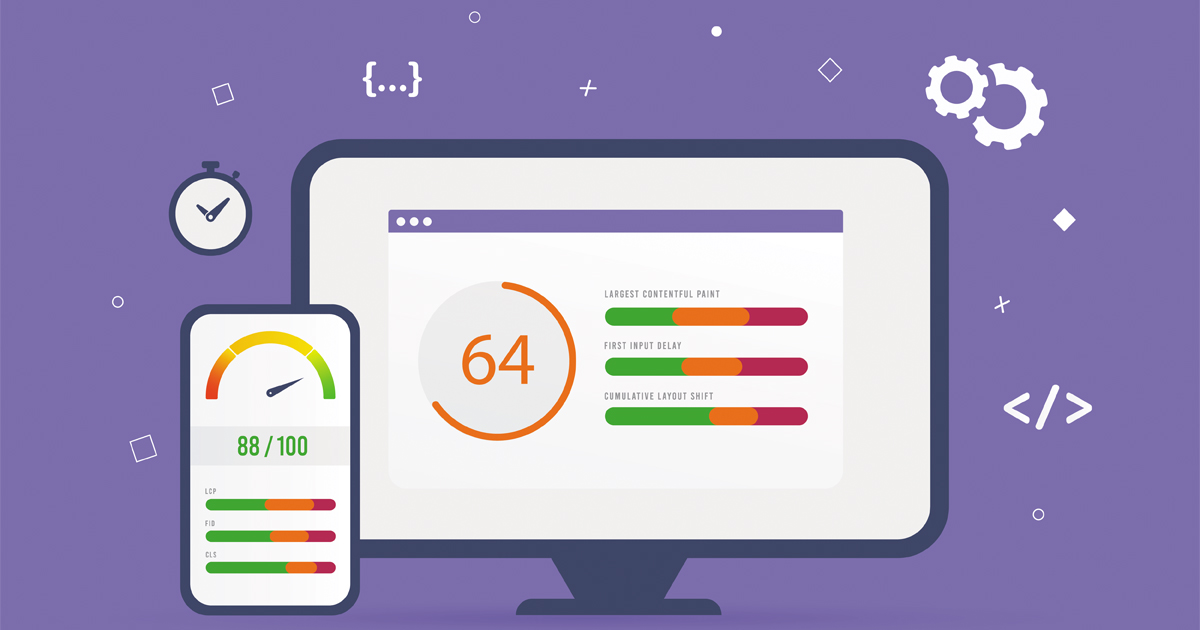
The current metrics include Largest Contentful Paint, Interaction to Next Paint, and Cumulative Layout Shift.
Largest Contentful Paint, commonly shortened to LCP, focuses on loading performance. Interaction to Next Paint, or INP, evaluates responsiveness to user interactions. Cumulative Layout Shift, or CLS, addresses unexpected visual movement.
Google’s Core Web Vitals documentation provides current definitions and guidance for these metrics.
These measurements are useful because a page can technically begin loading quickly while still giving visitors an unpleasant experience.
For example, imagine that a page displays its navigation immediately but the main content takes much longer to appear. Or perhaps everything becomes visible quickly, but clicking a menu produces a noticeable delay.
Those are different performance problems.
Core Web Vitals help you look beyond the question of when a page starts loading and consider how it actually behaves for the person using it.
9. Common Mistakes That Can Keep a Website Slow
Performance problems often accumulate gradually.
You install a plugin for one feature. Later, you add a tracking tool. Then a new design introduces larger images. A chat widget gets added. Months later, nobody remembers which resources are essential.
Several mistakes are worth watching for:
- Uploading unnecessarily large images: The displayed image may be much smaller than the original file.
- Installing overlapping plugins: Multiple tools may perform similar jobs while adding extra code.
- Keeping unused scripts active: Old integrations can remain after they are no longer useful.
- Adding too many third-party tools: Each additional service can create new requests or browser work.
- Optimizing only the homepage: Important internal pages may have completely different performance issues.
- Changing everything at once: You lose the ability to identify which adjustment actually made a difference.
- Chasing a score instead of the experience: A test result is useful evidence, not the sole purpose of optimization.
Another mistake is assuming that one optimization technique works equally well for every website.
Your platform, theme, plugins, hosting environment, content, and visitor behavior all influence what should receive priority.
The best fixes are usually the ones connected to a problem you have actually measured.
Frequently Asked Questions
A sudden slowdown can have several causes. A recent plugin or theme update, new images, added scripts, server problems, increased traffic, database issues, or changes to third-party services can all affect performance.
Start by identifying when you first noticed the problem. Then compare recent website changes with current performance tests. If only certain pages are affected, look for resources or features those pages have in common.
You may not need a redesign.
Depending on the cause, improvements could involve resizing and compressing images, reviewing plugins, removing unused resources, improving caching, changing how scripts load, or addressing server-side bottlenecks.
Measure first. A targeted improvement is usually more useful than rebuilding a website without knowing why it is slow.
It is a useful starting point, but it should not be your only source of information.
Performance varies across devices, connections, pages, and visitors. Testing multiple important URLs and looking at actual user-experience data when available can provide a more complete picture.
Use testing tools to identify patterns and investigate causes rather than relying on one score from one test.
They can, but the number alone does not tell you everything.
One poorly optimized plugin may create more work than several lightweight plugins. What matters is what each plugin loads, how it interacts with your database or server, and whether it adds scripts or styles to pages where they are not needed.
Review functionality before deleting anything, especially on a live site.
There is no universal schedule for every website, but performance should be reviewed periodically and after meaningful technical changes.
A new theme, major plugin installation, tracking system, large design update, hosting migration, or significant content change can alter page performance.
Checking important pages after those changes helps you catch problems before they remain unnoticed for months.
Key Takeaways
A faster website usually comes from several thoughtful improvements rather than one magic setting.
- Measure important pages before making major changes.
- Look at the visitor experience instead of relying on one performance score.
- Review images, scripts, CSS, fonts, plugins, and third-party resources.
- Separate hosting or server problems from browser-side performance issues.
- Use Core Web Vitals to understand loading, responsiveness, and visual stability.
- Make targeted changes and test again afterward.
- Avoid removing plugins, scripts, or website features until you understand what they do.
Most importantly, treat performance as an ongoing part of maintaining a website.
Your site changes over time. New content, features, plugins, integrations, and design elements can introduce new performance demands even after earlier problems have been resolved.
Improve Your Website Performance
Speed problems can feel overwhelming when a testing tool gives you a long list of recommendations. You do not have to fix everything at once.
Start with the issues that have the clearest effect on your visitors. Measure what is happening, identify the likely cause, make a targeted improvement, and test again. This gives you a much clearer picture of whether your work is actually helping.
Performance also works best when it is considered alongside the broader technical health of your site. Crawling, structure, mobile usability, content organization, and other technical elements can influence how effectively your website serves both visitors and search engines.
Have questions about technical performance or the broader search health of your website? Professional search engine optimization services can help you understand which issues deserve attention and where to start.
Disclaimer
This article is intended for general educational and informational purposes. Website platforms, hosting environments, themes, plugins, scripts, and technical configurations vary, so an optimization that helps one website may not have the same effect on another.
Search engine documentation, performance metrics, browser technologies, and recommended practices can also change over time. Review current documentation and your own website data before making significant technical changes.
Back up your website before modifying important files, plugins, themes, caching systems, or server configurations. No performance technique or SEO practice can guarantee a specific speed score, search ranking, traffic increase, conversion rate, or other outcome.