
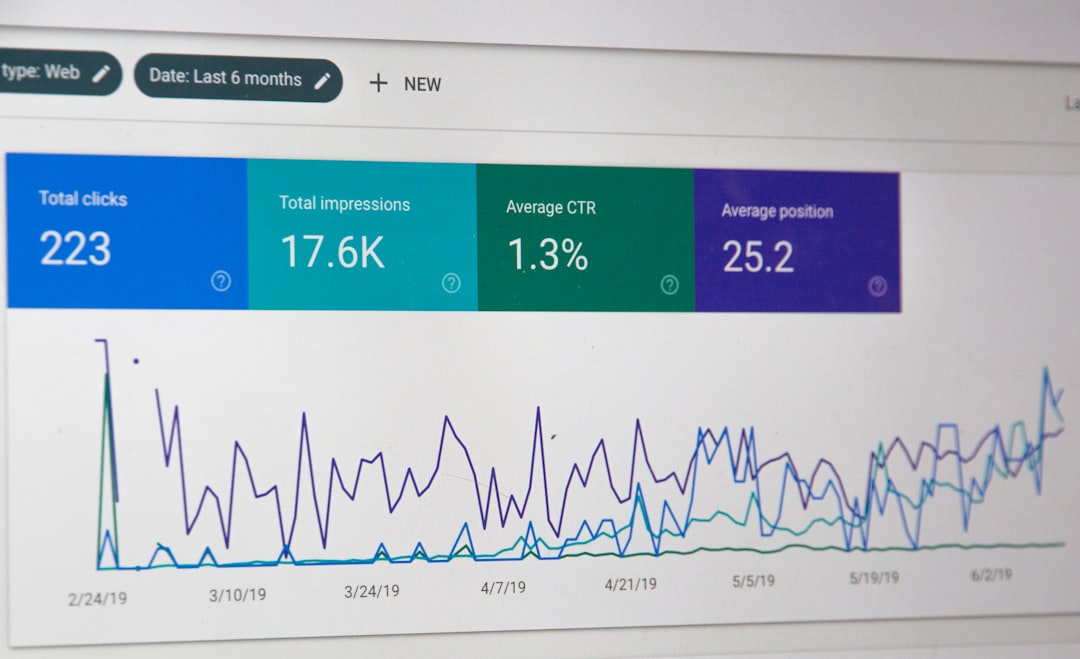
An SEO audit is the diagnostic checkup your website needs to keep ranking — and to find out why it might be slipping. For NYC small businesses, where every click can mean a paying customer, an audit reveals the technical, content, and authority issues that quietly drag rankings down. Manhattan boutiques, Brooklyn restaurants, and Queens contractors all share one thing in common: their websites compete in some of the most saturated local search markets in the country.
A thorough SEO audit gives you the roadmap to outrank competitors who are not paying attention to the same details. This guide walks you through a complete SEO audit framework — technical, on-page, off-page, and local — with the specific checks NYC business owners should run, the tools to use, and the issues most likely to be hiding under the hood.
What Is an SEO Audit and Why Does Your NYC Business Need One?
An SEO audit is a structured review of every factor that affects how search engines crawl, index, and rank your website. Think of it as a full physical exam: you check the heart (technical health), the muscles (on-page content), the bones (site architecture), and the immune system (backlinks and authority). Without a regular audit, even a well-built website slowly drifts off course as Google updates algorithms, competitors gain new backlinks, and your own content ages out of relevance. The Google Search Central documentation emphasizes that ongoing site health is what separates pages that climb from those that stagnate.
For NYC small businesses, audits are especially valuable because the local SERP is a moving target. A new Google My Business listing in Tribeca can shift the local pack overnight; a competitor’s fresh backlink from a Manhattan media outlet can leapfrog your rankings. Auditing on a quarterly schedule helps you catch these shifts before they become disasters. The audit should cover four pillars: technical SEO, on-page SEO, off-page SEO, and local SEO. Each pillar gets its own section below, with the specific checks you should run and the red flags to look for.
Step 1: Technical SEO Audit
Technical SEO is the foundation. If your site cannot be crawled or indexed properly, no amount of keyword optimization will save it. Start with crawl errors. Sign in to Google Search Console and review the Coverage report. Look for “Crawled — currently not indexed,” “Discovered — currently not indexed,” and “Soft 404” entries. These are red flags suggesting Google is finding your pages but choosing not to rank them. The Google crawler overview explains how Googlebot prioritizes URLs, and crawl waste is a common issue on small business sites with messy URL structures.
Next, check your robots.txt file and XML sitemap. The robots.txt should not be blocking important pages, and your XML sitemap should list every URL you want indexed — and only those URLs. Verify that your sitemap is submitted in Google Search Console and that the “URLs submitted” matches “URLs indexed” closely. Large gaps signal indexation problems. Then move to Core Web Vitals: Largest Contentful Paint (LCP), Interaction to Next Paint (INP), and Cumulative Layout Shift (CLS). Google’s web.dev vitals documentation outlines acceptable thresholds. NYC businesses on shared GoDaddy or Bluehost plans often score poorly on LCP — image optimization and a CDN can solve most issues.
HTTPS, Mobile, and Indexability
Confirm that your site is fully HTTPS. Mixed-content warnings are a quiet ranking killer. Use the URL Inspection tool in Google Search Console to verify that key pages — homepage, top service pages, top blog posts — are indexed. Test mobile usability with Google’s Lighthouse audit; mobile-first indexing means your mobile site is the primary version Google evaluates. Common issues include tap targets too close together, font sizes too small, and viewport not set. Also check for duplicate content created by URL parameters, www vs non-www, trailing slashes, and HTTP vs HTTPS variants. A canonical tag on every page tells Google which version is the master.
Step 2: On-Page SEO Audit
On-page SEO is what happens inside each page. Start with title tags and meta descriptions. Every page should have a unique title tag under 60 characters that includes the primary keyword and a location modifier (“Manhattan,” “NYC,” or “Brooklyn”) where appropriate. Meta descriptions should be 150–160 characters, include the focus keyword, and offer a clear reason to click. Use Screaming Frog or Sitebulb to crawl your site and export all titles and descriptions to a spreadsheet — this makes pattern spotting easy.
Next, audit your heading structure. Each page should have exactly one H1 tag, descriptive H2s for major sections, and H3s for sub-sections. Skipping levels (H1 to H3) confuses both users and crawlers. Check keyword usage: your focus keyword should appear in the URL slug, title tag, H1, first 100 words, at least one H2, the meta description, and naturally throughout the body — but never at unnatural density. A 1–2% keyword density is the sweet spot recommended by Moz’s on-page SEO guide. Keyword stuffing has not worked since 2012 and remains a common cause of penalty.
Internal Linking, Image SEO, and Schema
Audit your internal linking. Every important page should be reachable from at least three internal links, with descriptive anchor text — never “click here” or “read more.” Pages with thin internal linking often get indexed slowly or not at all. Image SEO comes next: every image should have a descriptive filename, an alt attribute that describes the image and naturally includes a keyword where relevant, and a reasonable file size. Use WebP format and lazy loading where supported. Finally, audit your structured data with the Rich Results Test. Local businesses should implement LocalBusiness schema markup with name, address, phone, opening hours, and review aggregations.
Step 3: Off-Page and Backlink Audit
Off-page SEO is everything happening outside your website that affects rankings — primarily backlinks and brand mentions. Use a tool like Ahrefs, Semrush, or Moz Link Explorer to pull your backlink profile. Look at three metrics: total referring domains, link velocity (how fast you are gaining or losing links), and link quality. A sudden spike in low-quality links from spammy domains can trigger Google’s spam filters. Conversely, a steady stream of quality referring domains from local NYC publications, industry blogs, and trade associations is a sign of healthy authority growth. Read our complete guide on building backlinks for NYC small businesses for proactive strategies.
Disavow toxic links if needed. If your audit reveals a clear pattern of paid, irrelevant, or spammy backlinks pointing to your domain, use Google’s disavow tool — but only after attempting to have the links removed manually. Most small businesses do not need to disavow regularly; the algorithm typically ignores low-quality links automatically. Domain Authority scores from Moz and equivalent metrics from other tools are useful for tracking trends but not absolute predictors of ranking — focus on getting links from sites your customers actually read.
Step 4: Local SEO Audit for NYC Businesses
Local SEO has its own playbook for businesses serving Manhattan, Brooklyn, Queens, the Bronx, and Staten Island. Start with your Google Business Profile. Confirm your business name, address, and phone number (NAP) are accurate and identical to what appears on your website and across all citations. Inconsistent NAP data is the single most common local SEO error. Use Google’s Google Business Profile Help to ensure your category, hours, and service area match your actual operations.
Audit your reviews. Google places strong weight on review quantity, recency, and quality. Aim for a steady cadence of new reviews — five per month is a healthy baseline for most small NYC businesses. Reply to every review, positive or negative, with a thoughtful, professional response. Then audit your local citations: are you listed on Yelp, Bing Places, Apple Maps, the Better Business Bureau, and industry-specific directories like Avvo (legal), Healthgrades (medical), or OpenTable (restaurants)? Tools like Whitespark or BrightLocal can scan for citation gaps.
Local Content and Geo Targeting
Audit your location-specific content. Do you have dedicated pages for the neighborhoods or boroughs you serve? A “Web Design in Williamsburg, Brooklyn” page can capture targeted long-tail traffic that a generic services page cannot. Combine this with keyword research focused on NYC neighborhoods to identify opportunities. Make sure your contact page includes your full address, an embedded Google Map, and a click-to-call phone number for mobile users. These signals help Google associate your business with the right geography.
Tools You’ll Need to Conduct Your SEO Audit
You can run a comprehensive SEO audit with a mix of free and paid tools. The essentials are Google Search Console (free), Google Analytics 4 (free), Google’s PageSpeed Insights and Lighthouse (free), and the URL Inspection tool inside Search Console. For deeper analysis, consider Ahrefs, Semrush, or Moz Pro for backlink and keyword data. Screaming Frog (free up to 500 URLs) is excellent for technical crawls. For local SEO, BrightLocal, Whitespark, and Google Maps itself give you most of what you need.
Document everything. The output of an SEO audit should be a written report — even a Google Doc or Notion page — that catalogs each issue, its severity, and the recommended fix. Without documentation, audit findings get forgotten, and the same issues resurface in the next audit cycle. Re-audit quarterly or at minimum twice per year. Consistency beats intensity.
When to Hire a Professional
If your website is complex (e.g., e-commerce with thousands of SKUs), if you are recovering from a Google penalty, or if your in-house team is stretched thin, hiring an SEO professional is worth the investment. A skilled NYC SEO consultant brings tools, experience, and the diagnostic intuition that comes from auditing dozens of similar sites. The cost of a one-time audit usually pays for itself in recovered rankings within a few months.
Key Takeaways
An SEO audit is the diagnostic foundation of every successful organic strategy. NYC small businesses should audit four pillars — technical, on-page, off-page, and local — at least twice per year. The technical audit checks crawl, indexation, and Core Web Vitals; on-page covers titles, headings, internal links, and schema; off-page focuses on backlink quality and growth velocity; local SEO ensures your Google Business Profile, NAP citations, and reviews are working in your favor. With the right tools and a documented process, even a non-technical owner can run a meaningful audit and surface the issues hurting their rankings before competitors do.
How to Prioritize Audit Findings
Audit reports always surface more issues than you can fix at once. The smart approach is to triage based on impact and effort. High-impact, low-effort fixes — like adding missing meta descriptions, compressing oversized hero images, or correcting a broken canonical tag — should be tackled within the first week. High-impact, high-effort items — site migration, structural URL changes, or rebuilding internal linking — deserve a dedicated sprint. Low-impact items can be batched into a maintenance window. NYC small business owners often try to fix everything at once and burn out before completing the meaningful changes; sequencing matters.
Use a simple scoring matrix: rate each issue from 1–5 on impact and 1–5 on effort, then prioritize highest impact-to-effort ratio first. Page speed issues, broken pages returning 404s, and pages blocked from indexing are almost always top priorities. After the first 30 days of fixes, re-crawl the site and compare against your baseline metrics: rankings, organic traffic, and indexed pages. The data will show whether your audit is paying off.
Need Help Auditing Your NYC Business Website?
Get a Professional SEO Audit From IL WebDesign
A complete SEO audit can uncover the issues quietly costing your NYC business search traffic, leads, and revenue. IL WebDesign provides comprehensive audits tailored to small businesses in Manhattan, Brooklyn, Queens, and the surrounding boroughs — with clear, actionable recommendations and a roadmap for fixing what we find.
References
References
- Google Search Central — Documentation — Official SEO guidance from Google.
- web.dev — Core Web Vitals — Performance metrics affecting search rankings.
- Moz — On-Page Ranking Factors — Foundational guidance on on-page SEO.
- Google Business Profile Help — Setup and optimization for local search.
- Google Rich Results Test — Validate structured data implementation.
About the Author
Irwin Litvak
Irwin Litvak is the founder of IL WebDesign, a Manhattan-based digital agency that builds high-converting websites and marketing campaigns for NYC small businesses. With years of experience helping local brands stand out online, Irwin specializes in design, SEO, and Google Ads strategy tailored to the New York market.