
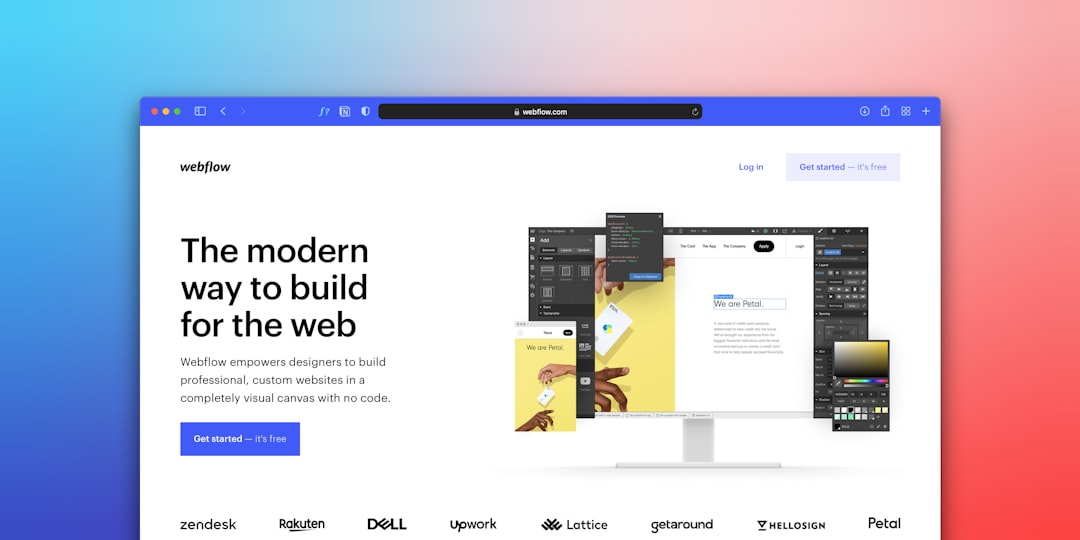
If you have ever scrolled down a long webpage and noticed the navigation menu glued to the top of your screen as you read, you have experienced sticky navigation in action. For NYC small businesses competing for attention online, the way visitors interact with your site’s menu can directly affect conversions, time on page, and even SEO. Sticky navigation is one of those design choices that looks simple on the surface but carries real consequences for usability, performance, and brand perception. Manhattan business owners often ask whether their website’s menu should follow users as they scroll. The answer depends on your audience, content depth, and design priorities. This guide breaks down what sticky navigation is, when it works well for NYC businesses, when it backfires, and the best practices that separate a polished implementation from a frustrating one.
What Is a Sticky Navigation Bar?
A sticky navigation bar — sometimes called a fixed header or persistent menu — is a website navigation element that remains visible at the top (or sometimes the side) of the screen as a user scrolls down the page. Unlike a static menu that disappears once the user scrolls past it, a sticky menu stays anchored, giving visitors constant access to your main site sections, contact options, and call-to-action buttons. According to research from the Nielsen Norman Group, sticky headers can improve task completion times by up to 22% on content-heavy sites, but they also consume valuable vertical screen real estate that could otherwise be devoted to your content.
How Sticky Navigation Differs From a Standard Menu
A standard navigation menu sits at the top of the page when the page first loads. As soon as users scroll down, the menu scrolls out of view along with the rest of the header. To return to it, visitors must scroll all the way back up. With sticky navigation, that menu detaches from the document flow and is positioned in a fixed location relative to the viewport. CSS handles this with a single property — position: sticky or position: fixed — though responsive implementations are more nuanced. The user perception is what matters most: the menu becomes a constant fixture, like the dashboard of a car, always there when needed. For Manhattan businesses with long service pages, detailed product catalogs, or multi-section homepages, this constant accessibility can be the difference between a confused bounce and a confident click.
The Pros: Why Sticky Navigation Works for NYC Business Websites
Sticky navigation offers several measurable benefits, particularly for NYC small businesses where every visitor represents a potential customer in a fiercely competitive local market. The first and most important advantage is reduced friction. When your contact button, services menu, and “Get a Quote” call-to-action are always one click away, visitors do not have to hunt for them. Brooklyn coffee shops, Queens dental offices, and Manhattan boutique agencies all benefit when potential customers can take action without losing their place in the content. A sticky menu effectively turns every scroll into an opportunity to convert, which is critical for service-based businesses where the path to a phone call or booking should be as short as possible.
Sticky navigation also reinforces brand presence. A persistent header keeps your logo and brand colors in view at all times, increasing brand recall — a documented effect in user experience research. For NYC businesses competing against national chains and well-funded competitors, every second of brand exposure matters. There is also a subtle but powerful psychological benefit: users feel oriented. Long pages can disorient visitors, especially on mobile, and a fixed menu serves as a navigational anchor. Pair this with smart use of website navigation structure and you get a menu that not only looks polished but actively guides users through your content.
Quantifiable Conversion Lift
Several case studies have shown that adding a sticky CTA button or sticky navigation can improve conversion rates by 5% to 15%, depending on industry. The Nielsen Norman Group documented that users scan websites in F-shaped and Z-shaped patterns, and a sticky menu intercepts attention exactly where it is most likely to fall during these scanning behaviors. For NYC businesses with longer-than-average service pages — common in legal, medical, real estate, and home services — this attention capture translates directly into more inquiries.
The Cons: When Sticky Navigation Hurts More Than It Helps
Sticky navigation is not a universal win. There are real trade-offs that can damage user experience and even harm SEO if implemented poorly. The most obvious cost is screen real estate. A sticky header that takes up 80–100 pixels of vertical space leaves significantly less room for actual content, especially on mobile devices where viewports are already cramped. Google has been explicit through its page experience documentation that intrusive elements covering content can hurt rankings, particularly on mobile. A poorly designed sticky menu can be flagged as an interstitial.
Performance is another concern. Sticky elements often require additional JavaScript or careful CSS handling, which can introduce layout shifts (CLS), one of the Core Web Vitals Google uses to evaluate user experience. NYC businesses already battling slow GoDaddy or shared hosting can ill afford additional rendering delays. There is also the issue of distraction. A menu that animates, changes size on scroll, or includes too many items can pull attention away from your content and your CTA. Visitors get overwhelmed, and the very feature meant to help them ends up driving them away.
Mobile Pitfalls
On mobile, sticky navigation deserves extra scrutiny. A 50-pixel sticky header on a 667-pixel iPhone screen consumes roughly 7.5% of the viewport — that adds up quickly when combined with other UI elements. If you have a sticky header AND a sticky footer AND a chatbot widget, your visitor is reading content in a tiny letterbox. Brooklyn restaurants and boutique retailers with mobile-heavy traffic should test sticky elements on real devices, not just desktop simulators, before committing.
Best Practices for Implementing Sticky Navigation
If you decide that sticky navigation is right for your NYC business website, implementation matters as much as the decision itself. Start by keeping the sticky header thin. The ideal height is 60–80 pixels on desktop and 50–60 pixels on mobile. This minimizes screen-space cost while preserving readability. Next, simplify the content within the menu. Aim for five to seven primary navigation items and one prominent CTA — typically “Contact” or “Get a Quote.” Resist the urge to cram in social media icons, search bars, login buttons, and dropdown mega-menus. Each additional element compounds visual noise.
Use a smart shrink-on-scroll behavior. When the page first loads, the header can be slightly taller to showcase the logo and brand identity. As the user scrolls past the hero, the header shrinks to a more compact form. This pattern, sometimes called “shrinking nav,” is well-documented in design literature and works because it acknowledges different needs at different scroll positions. Make sure the transition is fast (under 200ms) and uses CSS transforms rather than layout properties to avoid triggering reflows.
Accessibility and Keyboard Navigation
Sticky navigation must be accessible. Users navigating with keyboards or screen readers should be able to reach every menu item without losing focus. Use proper ARIA roles, ensure focus indicators are visible against the sticky background, and test with VoiceOver on Mac and NVDA on Windows. The W3C WAI-ARIA Authoring Practices provide concrete patterns for accessible menus. NYC businesses are also subject to ADA compliance pressure, and accessibility lawsuits targeting small businesses have surged in New York. A poorly built sticky menu is a common accessibility failure point. For more on this, review our guide on website accessibility and WCAG compliance for NYC small businesses.
Test, Measure, Iterate
Do not implement sticky navigation and walk away. Use tools like Hotjar, Microsoft Clarity, or Google Analytics scroll tracking to observe how real users interact with the menu. Watch for signs that the sticky element is being ignored, blocking content, or causing rage-scrolling. A/B test sticky vs. non-sticky variants if your traffic volume permits it. The data should drive the final decision, not aesthetics alone.
Real-World Examples From NYC Industries
Looking at how different NYC industries approach sticky navigation can clarify the decision for your own business. Manhattan law firms typically use sticky navigation with a prominent “Free Consultation” button — visitors scrolling through case studies and attorney bios can convert from any page position. The sticky menu is usually slim (60 pixels) with the firm logo, four to five practice areas, and the consultation CTA. Brooklyn restaurants, by contrast, often skip sticky navigation altogether on their homepage to give the hero image and menu photography full visual impact, but they reintroduce sticky elements on their reservation and menu pages where transactional intent is highest.
NYC e-commerce stores selling premium goods — think SoHo boutiques and Chelsea galleries — frequently use a hybrid approach. The header becomes sticky only after the user scrolls past the hero section, blending an immersive first impression with practical navigation deeper in the page. This pattern is technically more complex but rewards visitors with a sense of progressive disclosure. Local service providers like plumbers, electricians, and locksmiths in Queens almost always use sticky navigation with a click-to-call phone number prominently displayed. For these businesses, getting a phone call is the conversion event, and any friction in reaching the dial action is a lost customer. Looking at how successful local competitors handle navigation — and where their menus place CTA emphasis — can help you reverse-engineer a sensible approach.
When to Use Sticky CTAs Instead of Full Sticky Navigation
Sometimes a full sticky menu is overkill. A sticky CTA — just a single button or phone number that follows the user — can deliver most of the conversion benefit with a fraction of the footprint. This pattern works particularly well for landing pages and single-product pages where you only want users focused on one action. NYC professional services often use sticky “Book Now” or “Call Now” buttons floating in the bottom-right corner on mobile, leaving the primary navigation static at the top. This approach also tends to score better on Core Web Vitals because there is less DOM weight in the always-visible region.
How NYC Businesses Should Decide: A Practical Framework
Use this framework to decide whether sticky navigation is right for your site. First, evaluate page length. If most of your pages are under 1,000 pixels tall, sticky navigation adds little value. If you have long-form service pages, blog posts, or product detail pages, sticky becomes more compelling. Second, consider conversion priority. If your business depends on immediate contact — like an emergency plumber in Manhattan or a same-day legal consultant — keep the contact CTA visible at all times. Third, audit your mobile experience. If your mobile screen is already crowded with elements, adding a sticky header may push you into “intrusive interstitial” territory.
Fourth, weigh your brand. Some industries — luxury, fine dining, art galleries — benefit from a more cinematic, full-screen experience where sticky navigation could feel intrusive. Others — SaaS, professional services, e-commerce — generally welcome the convenience. Finally, audit your hero section. If your hero section already includes a strong CTA, you may not need sticky navigation to capture conversions on initial scroll. Layer features, do not stack them.
Key Takeaways
Sticky navigation keeps your menu visible as users scroll, reducing friction and increasing access to your CTA. For NYC small businesses with longer service pages or service-driven conversion goals, the benefits typically outweigh the costs — but only if implemented thoughtfully. Keep the header thin, simplify menu items, ensure mobile compatibility, and build for accessibility from day one. Test with real users and iterate. When done well, sticky navigation can lift conversions by 5–15% and strengthen brand presence; when done poorly, it sabotages performance, frustrates mobile users, and risks SEO penalties for intrusive design.
Ready to Improve Your Website’s Navigation?
Build a Website That Converts NYC Visitors Into Customers
Whether sticky navigation is right for your business or not, the bigger question is whether your entire website is engineered to convert. IL WebDesign builds NYC business websites that combine sharp design, strong UX, and conversion-focused architecture — including thoughtful navigation that fits your audience, your content, and your goals.
References
References
- Nielsen Norman Group — Sticky Headers — Research on the usability impact of fixed navigation menus.
- Nielsen Norman Group — How Users Read on the Web — Foundational research on user scanning patterns.
- web.dev — Cumulative Layout Shift (CLS) — Google’s documentation on visual stability metrics.
- Google Search Central — Page Experience — Guidelines on intrusive interstitials and page experience signals.
- W3C WAI-ARIA Authoring Practices — Menu Pattern — Accessibility guidelines for navigation menus.
About the Author
Irwin Litvak
Irwin Litvak is the founder of IL WebDesign, a Manhattan-based digital agency that builds high-converting websites and marketing campaigns for NYC small businesses. With years of experience helping local brands stand out online, Irwin specializes in design, SEO, and Google Ads strategy tailored to the New York market.