
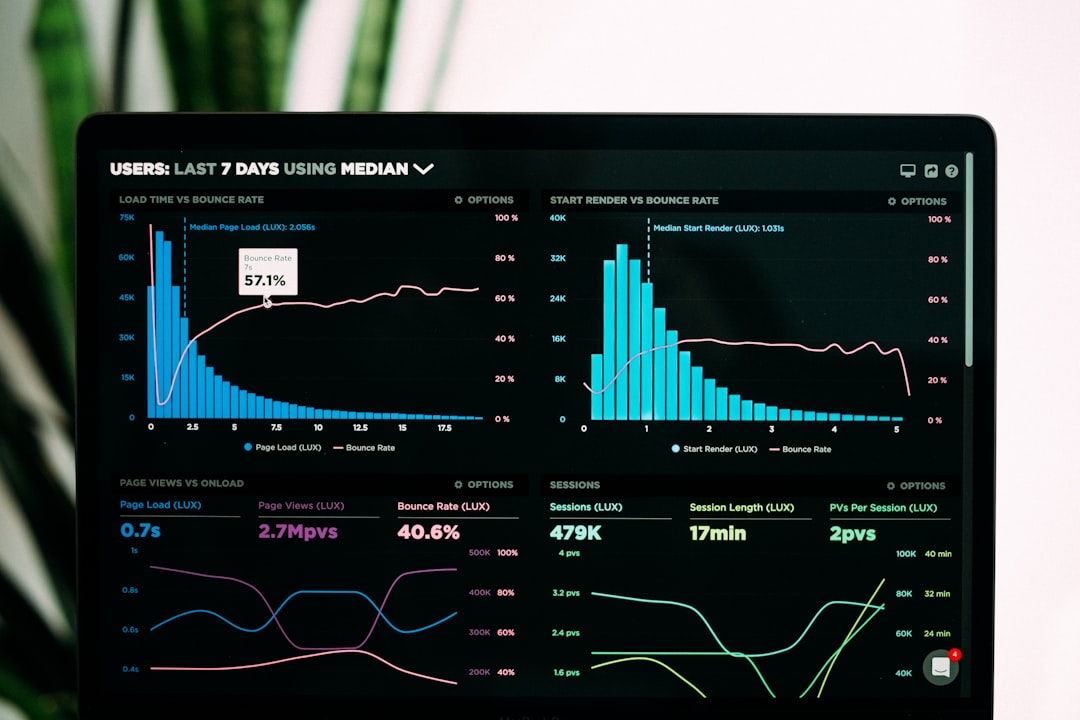
The auction insights report is one of the most underused tools inside Google Ads — and one of the most valuable for NYC small businesses competing against larger agencies and national chains. While most Manhattan, Brooklyn, and Queens businesses obsess over CPC and conversion rate, the auction insights report quietly reveals exactly which competitors are bidding on your keywords, how often they outrank you, and where the strategic openings sit. This guide walks NYC small business owners through the auction insights report from the basics to advanced tactics, so you can stop guessing about your competition and start outmaneuvering them inside Google Ads.
What Is the Auction Insights Report?
The auction insights report is a built-in Google Ads tool that compares your performance to other advertisers participating in the same auctions. Every time someone in NYC types a query like “Manhattan electrician” or “Brooklyn dentist,” Google runs an auction in milliseconds among the advertisers bidding on that keyword. The auction insights report aggregates the results of those auctions and shows you which competitors appeared alongside your ads, how often each advertiser outranked you, and how your overall visibility compares.
Unlike third-party competitive intelligence tools that estimate competitor activity from outside the platform, the auction insights report uses Google’s own first-party auction data. Google Ads Help on the auction insights report describes it as the most accurate competitive view available — there’s no estimation, no sampling, just the actual auction outcomes for the keywords you target.
Why NYC Businesses Should Care
NYC ad markets are some of the most competitive in the country. A Manhattan personal injury law firm bids against fifty other firms. A Queens HVAC company competes with established chains and dozens of independents. The auction insights report cuts through that noise — it tells you exactly which competitors are showing up most often, which ones are aggressively expanding, and which are pulling back. That intelligence shapes everything from your bid strategy to your messaging to your budget allocation.
Understanding the Six Auction Insights Metrics
The auction insights report shows six key metrics, each measuring a different aspect of competitive performance. Understanding what each metric means — and how to read them together — is the foundation of using this report effectively.
Impression share is the percentage of impressions you received divided by the total impressions you were eligible for. Overlap rate shows how often your ad appeared in the same auctions as a specific competitor. Position above rate tells you how often that competitor’s ad ranked higher than yours when both ads showed. Top of page rate measures how often your ad appeared at the top of the search results above the organic listings. Absolute top of page rate is the percentage of times you held the very first ad spot. Outranking share shows how often your ad ranked higher than a specific competitor’s ad in the same auctions.
Read together, these metrics tell a clear story. If your impression share is 60% but your overlap rate with a specific competitor is 90%, that competitor is in nearly every auction you’re in — they’re a primary rival worth watching closely. If your outranking share against them is only 30%, they’re winning more often than you are, which means it’s time to look at their ad copy, landing pages, and bid strategy. Google Ads Help on impression share goes deeper on how each metric is calculated.
How to Access the Auction Insights Report
Inside Google Ads, the auction insights report is available at three levels: campaign, ad group, and individual keyword. Click into any campaign, ad group, or keyword and look for the “Auction insights” tab. The report defaults to showing the last seven days of data — change the date range to thirty or ninety days for more meaningful patterns. For NYC businesses with seasonal swings (like a Manhattan tax accountant or a Queens landscaping company), monthly views often reveal competitive shifts that shorter views miss.
Filter the report by device, location, and time of day to spot specific competitive dynamics. A Brooklyn coffee shop might find that a competitor’s overlap rate jumps from 40% during weekdays to 85% on weekends — a strong signal that competitor is dayparting their bids. That insight changes how you build your own Google Ads budget and bid schedule.
Exporting and Combining With Other Data
Export the auction insights report as a CSV and combine it with your conversion data. The combination reveals where your ad spend produces the best results relative to competitive intensity. A keyword with high competition but high conversion rate is worth defending aggressively. A keyword with high competition and low conversion rate may be a fight not worth having.
Interpreting the Data for NYC Markets
NYC’s borough-by-borough variation matters here. A Manhattan competitor may dominate auctions in Midtown but barely show up in Bronx searches. A Queens HVAC company may compete fiercely with three local rivals during summer cooling season but face a different set of competitors during winter heating. Use location filters in your auction insights report to map these dynamics. The picture you get is far richer than a single citywide view.
Watch for sudden changes month over month. A competitor jumping from 20% impression share to 60% overlap with you is signaling either a new campaign push, a budget increase, or a shift in their targeting. Either way, you should investigate. Look at their landing pages (they’re public), check their ad copy via Google’s Ads Transparency Center, and decide whether to match, differentiate, or hold steady.
Spotting Brand Bidders
The auction insights report also reveals competitors bidding on your brand name. If a competitor consistently shows up when users search for your business by name, they’re poaching your branded traffic — a common but costly tactic. Run a branded keyword campaign of your own to defend the SERP and lower the cost of brand defense. Combined with strong organic visibility, this protects your most valuable searches.
Combining Auction Insights With Quality Score
Quality Score and the auction insights report work hand in hand. Even if your bid is lower than a competitor’s, a higher Quality Score can let you outrank them — Google’s auction formula rewards relevance, not just budget. If the auction insights report shows you consistently below a particular competitor, check whether their landing page experience, expected click-through rate, or ad relevance is materially better than yours. Investing in Quality Score improvements often yields better returns than simply raising bids.
A Recurring Reporting Cadence
For NYC small businesses managing Google Ads in-house, set a calendar reminder for the first Monday of each month to review the auction insights report. Pull the previous 30 days of data, compare to the prior month, and note any competitor whose impression share moved more than 10 points. Document those changes in a simple spreadsheet so you build a historical view over time. After three or four months you’ll spot patterns — seasonal pushes, new competitor launches, and budget spikes — that change how you bid and where you spend.
Five Strategies to Outsmart Competitors With Auction Insights
Strategy 1: Focus your budget where you can win. Identify keywords where your impression share is high and your outranking share is favorable — these are auctions you’re already winning. Increase bids and expand match types here. Pull back from auctions where your impression share is below 30% and your outranking share against the dominant competitor is under 25% — you’re spending money to lose.
Strategy 2: Time your bids around competitor patterns. If a competitor bids aggressively during business hours and weakly at night, raise your bids during their weak periods to dominate the auction. Google Ads Help on ad scheduling covers the bid adjustment mechanics.
Strategy 3: Use the report to validate negative keywords. If a competitor consistently appears in auctions for queries that aren’t generating conversions for you, those queries may be irrelevant for your business. Add them as negative keywords to free up budget for higher-intent searches. Pair this with our guide to the Google Ads search terms report.
Strategy 4: Differentiate your ad copy. If your overlap rate with a competitor is 90%, every customer is comparing both ads side by side. Your headline needs to do something theirs doesn’t — a unique offer, a local trust signal, a specific NYC neighborhood callout. Test variations to find what wins the click.
Strategy 5: Defend your top-of-page rate. Top-of-page placements drive vastly more clicks than positions further down the page, even on the same SERP. If your top of page rate has been declining month over month, that’s an early warning that competitors are bidding more aggressively. Increase bids selectively on your highest-converting keywords to hold position.
Common Mistakes to Avoid With the Auction Insights Report
Three mistakes ruin the value of the auction insights report. The first is checking it once and forgetting it — competitive dynamics shift weekly, especially in NYC. Schedule a recurring monthly review. The second is reacting to small fluctuations as if they’re signals. A 5% week-over-week move in overlap rate is noise; a 30% sustained shift is a signal. The third is matching every competitor’s bid increase reflexively. Sometimes the right move is to let a competitor pay too much for low-converting traffic while you focus your budget on the auctions that actually generate revenue.
Also avoid making bid decisions based on auction insights alone. Cross-reference with conversion rate, cost per conversion, and lifetime customer value before changing strategy. The auction insights report tells you about competition; your conversion data tells you about profitability. Combine both for smart decisions.
When to Bring in Help
If your auction insights report shows you consistently losing to the same one or two competitors despite strong creative and reasonable bids, the problem may be deeper — Quality Score, landing page experience, or account structure. We covered the related dynamic in our breakdown of landing page experience for Google Ads, which explains why the right landing page can dramatically change auction outcomes without raising bids.
Key Takeaways
The auction insights report is the clearest competitive view available inside Google Ads — and one of the most underused. Read all six metrics together: impression share, overlap rate, position above rate, top of page rate, absolute top of page rate, and outranking share. Use the data to focus budget where you can win, time bids around competitor patterns, validate negative keywords, differentiate ad copy, and defend top-of-page placements. Avoid checking it sporadically, reacting to noise, or matching every bid increase. NYC’s competitive ad markets reward businesses that read the auction insights report monthly and act on the patterns it reveals.
Get More From Your Google Ads Auction Insights Report
At IL WebDesign, we help Manhattan, Brooklyn, and Queens small businesses turn Google Ads data into smarter campaigns. Whether you need a one-time auction insights audit or ongoing campaign management, our team digs into the data so you stop guessing and start winning.
References
- Google Ads Help — About the Auction Insights Report — Official documentation on metric definitions
- Google Ads Help — Impression Share Metrics — How impression share is calculated
- Google Ads Help — Ad Scheduling and Bid Adjustments — Timing your bids around competitor patterns
- Think with Google — Bidding Strategy and Auction Insights — Strategic perspective on competitive bidding
- Google Ads Transparency Center — See competitor ad creative
About Irwin Litvak
Irwin Litvak is the founder of IL WebDesign, a Manhattan-based agency helping NYC small businesses build websites that rank, convert, and grow. With years of experience designing for retailers, service businesses, and professional firms across NYC, Irwin specializes in turning marketing strategy into measurable results.